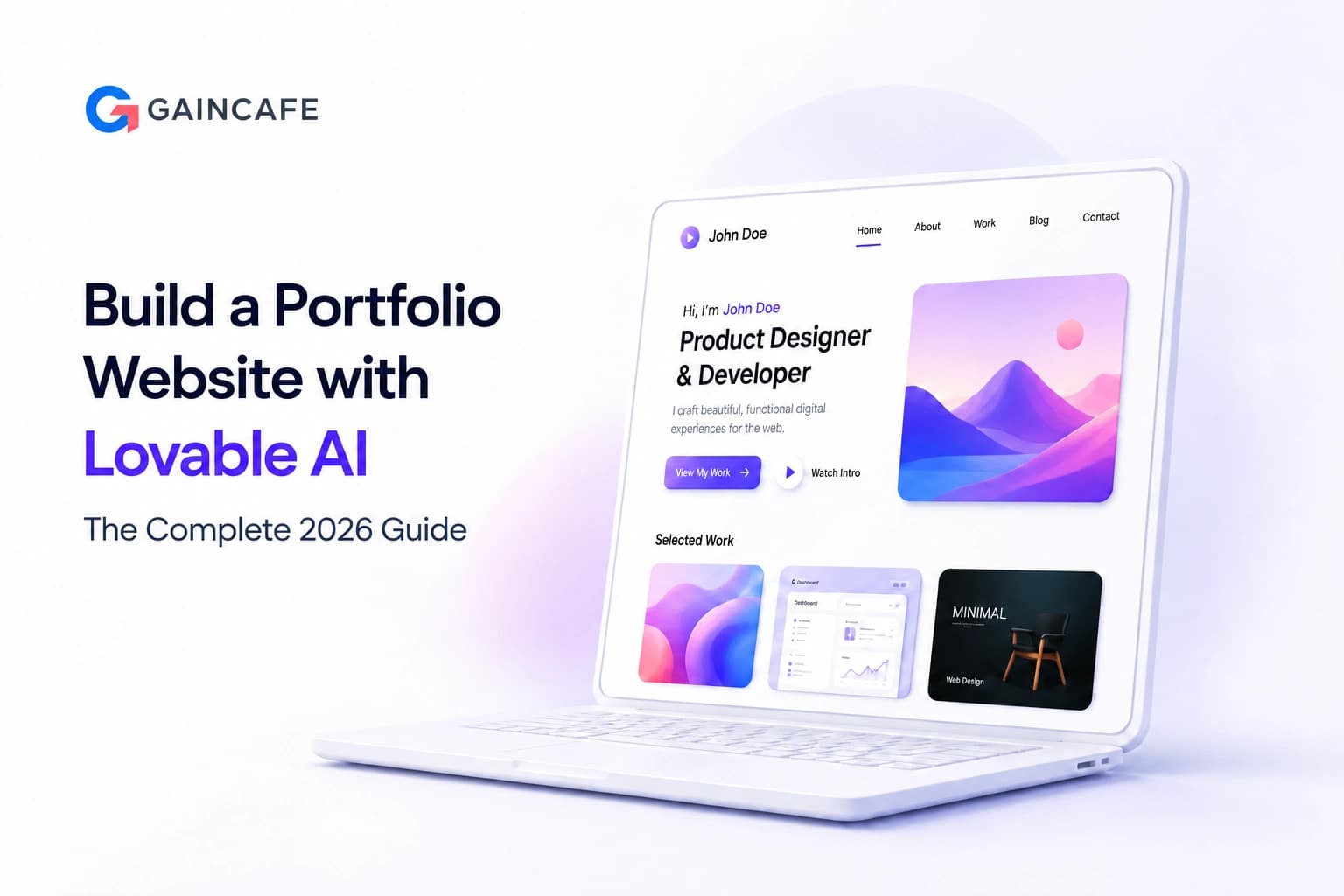
Your portfolio website is the most powerful career asset you own. It is your first impression with clients, recruiters, and collaborators, and in 2026, having a generic template-based portfolio is no longer enough to stand out.
The good news is that you no longer need a developer, a designer, or months of work to build a professional, custom portfolio website. Lovable AI lets you create a portfolio website using Lovable AI in minutes, using nothing but plain English descriptions.
According to a 2025 Canva survey, 72% of hiring managers prefer candidates who showcase work through portfolios. Yet most people still do not have one, because traditional website development feels out of reach.This guide covers everything you need to build a portfolio website with Lovable AI in 2026. From what the platform is and how it works, to a full step-by-step build process, cost breakdown, feature comparison, and practical tips for making your portfolio stand out.
What Is Lovable AI?
Lovable AI is an AI-powered full-stack web application builder that turns plain English descriptions into production-ready websites and applications. You describe what you want, and Lovable writes the code, designs the interface, configures the backend, and deploys the result.
The platform generates React and Tailwind CSS on the frontend, with Supabase handling backend services including authentication, database, and file storage. Every project built on Lovable is real, exportable code that you fully own, not a locked-in visual configuration like traditional drag-and-drop builders.
For portfolio website creation specifically, Lovable excels because it understands design intent. Tell it you want a minimal dark-mode developer portfolio with a project gallery and contact form, and it builds exactly that, not a generic template you spend hours adapting.
Lovable AI surged to nearly 8 million users in late 2025, raised $330 million at a $6.6 billion valuation in December 2025, and now sees over 100,000 new projects created on the platform every single day.
Want to build your portfolio with AI?
See how Lovable can turn your idea into a live portfolio in minutes.
Why Build Your Portfolio Website with Lovable AI?
Professionals worldwide face the same challenge: they know they need a portfolio website but either lack the coding skills to build one, cannot afford custom development, or find template builders too limiting for their vision.
Lovable AI sits directly in that gap. It delivers the customization of custom development at the speed and cost of a website builder, with no coding required at all. Here is why Lovable AI is particularly well-suited for portfolio websites in 2026:
- Natural language input: Describe your portfolio the way you would brief a designer. No forms, no drag-and-drop, no code.
- Full-stack output: Your portfolio gets a real frontend, real backend, and real deployment in one session.
- Design quality by default: Lovable follows modern UI and UX principles automatically. Initial outputs look professional without manual styling.
- Instant deployment: One-click publishing gets your portfolio live on a Lovable subdomain or your own custom domain.
- Code ownership: Your portfolio's full codebase syncs to GitHub. You own it completely and can export or customize it at any time.
- Free to start: Five daily credits on the free plan are enough to build a complete portfolio website without spending anything.
Skip the complexity
Launch a professional portfolio without coding or hiring developers.
Key Features of Lovable AI for Portfolio Websites
Agent Mode
Agent Mode is Lovable's autonomous AI system that thinks, plans, and executes changes independently. When building a portfolio, you describe a multi-part goal, such as 'create a projects gallery with filter by technology type and a contact form that sends emails', and Agent Mode handles all the implementation steps without requiring you to break the task down. Lovable reports that Agent Mode reduces build errors by 90% compared to standard generation.
Visual Edits
Visual Edits provides a Figma-like interface for making precise design adjustments without writing additional prompts. Click on any element of your portfolio, whether a heading font, button color, or card layout, and make targeted changes directly. This is the feature that turns a good AI-generated portfolio into one that matches your exact personal brand.
One-Click Deploy
Your portfolio website is published to a live URL the moment you are ready, with no server setup, no Netlify configuration, and no infrastructure management. Paid plans support custom domains, so your portfolio can live at yourname.com rather than a Lovable subdomain.
GitHub Integration and Code Export
Every Lovable project syncs to a GitHub repository in real time. Your portfolio's complete React and TypeScript codebase is yours to take, extend, or migrate. If you later want to customize with hand-written code, you pull the repo, make your changes, and push back. The project updates automatically.
Supabase Backend
For portfolios that need dynamic functionality, such as a contact form with email delivery, a project database you can update without touching code, or an analytics dashboard, Lovable's native Supabase integration handles the entire backend automatically.
AI Chatbot Integration
Advanced users are building portfolio websites that include an AI chatbot trained on their own work history, case studies, and skills. Visitors ask the chatbot questions about your experience and receive intelligent, contextual answers. This is one of the standout features from the Lovable portfolio community in 2026, allowing portfolios to function as interactive experiences rather than static pages.
Use these features the right way
Get expert guidance to build a portfolio that actually converts.
Step-by-Step: How to Create a Portfolio Website Using Lovable AI
Follow these steps to go from blank screen to published portfolio website using Lovable AI. The entire process can be completed in under one hour.
- Create a Free Lovable Account: Go to lovable.dev and sign up with your email or Google account. No credit card is required. The free plan gives you five daily AI credits, more than enough to build a complete portfolio in a single session.
- Plan Your Portfolio Sections: Before prompting, decide what your portfolio needs. Standard sections include a Hero with your name and headline, About Me with background and skills, Projects gallery with descriptions and links, Testimonials or client logos, and a Contact form or booking link. Write these down before opening the prompt window.
- Write a Detailed First Prompt: This is the most important step. A detailed, specific prompt produces a professional result. A vague prompt produces a generic one. Include your name and profession, the visual style you want (minimal, bold, dark, light, colorful), every section you need, any specific features such as a project filter, blog, or contact form, and any design inspiration. Example: 'Create a minimal dark-mode portfolio website for a UX designer named Priya. Include a hero section with name and tagline, an About section with skills listed as tags, a Projects gallery with hover effects and filter by industry type, a Testimonials section with client photos and quotes, and a Contact section with a form capturing name, email, and message. Use a purple and white color scheme.'
- Review and Test the Initial Output: Lovable generates your portfolio in real time. Review every section and test all interactions including buttons, forms, navigation links, hover effects, and mobile responsiveness. Note any changes before making further prompts.
- Refine with Follow-Up Prompts: Use targeted follow-up prompts for specific changes. Be precise: 'Change the hero background to a dark gradient from purple to black' produces a better result than 'make the hero look better'. Use Visual Edits for fine-grained design adjustments that are easier to point and click than describe in words.
- Add Your Real Content: Replace placeholder text with your actual bio, project descriptions, skill tags, testimonials, and contact details. Add real screenshots or mockup images for your projects.
- Connect a Custom Domain (Optional): On paid plans, navigate to Settings and connect your domain. Update your DNS records as instructed. Your portfolio moves from yourname.lovable.app to yourname.com within minutes of DNS propagation.
- Publish and Share: Click Deploy. Your portfolio is live. Share the link on LinkedIn, add it to your resume, and update your email signature.
Need help building it faster?
We can build your portfolio in days, not hours of trial and error.
Portfolio Prompt Templates for Different Professionals
One of the fastest ways to build a portfolio website with Lovable AI is to start from a well-structured prompt template. Here are proven starting prompts for four professional types.
For Developers
Create a terminal-style portfolio for a full-stack developer named [Name]. Include: interactive command-line interface responding to 'about', 'projects', 'skills', and 'contact' commands; GitHub integration showing pinned repos and contribution graph; skills section with technology badges; dark theme with green monospace typography.
For Designers
Build a visual portfolio for a UI/UX designer named [Name]. Include: full-screen hero with animated tagline; masonry project gallery with case study previews; process documentation section per project; skills and tools section; client testimonials with logos; contact form. Minimal aesthetic with generous white space and clean sans-serif typography.
For Freelancers
Create a freelancer portfolio for [Name] specializing in [service]. Include: value proposition hero with CTA button; services section with tiered packages and deliverables; portfolio gallery with before/after results; client logos and testimonials; FAQ section; booking/contact form with availability calendar link.
For Writers and Content Creators
Build a content creator portfolio for [Name]. Include: featured articles section with thumbnails and publication logos; about section with writing style and specialties; client logo wall; testimonials from editors and brands; services offered with rates or inquiry form. Clean editorial aesthetic with serif heading typography.
Lovable AI vs Other Portfolio Builders: Comparison Table
| Feature | Lovable AI | Squarespace | Webflow | Custom Code |
|---|---|---|---|---|
| No coding required | Yes | Yes | Partial | No |
| Custom design from prompt | Yes | No | Partial | Yes |
| Full-stack backend | Yes | Limited | Limited | Yes |
| Code ownership and export | Yes | No | Yes | Yes |
| AI chatbot integration | Yes | No | Plugin only | Custom |
| One-click deployment | Yes | Yes | Yes | Manual |
| Custom domain (free plan) | No | No | No | Yes |
| GitHub integration | Yes | No | Partial | Yes |
| Typical build time | Minutes to 1 hr | Hours to days | Days to weeks | Weeks to months |
Still confused between tools?
We’ll recommend the best stack based on your goals and budget.
Lovable AI Pricing: What Does a Portfolio Website Cost?
One of the biggest advantages of choosing to build a portfolio website with Lovable AI is the cost structure. Here is what each plan includes and which is right for different portfolio needs.
| Plan | Monthly Cost | Daily Credits | Key Features | Best For |
|---|---|---|---|---|
| Free | $0 | 5 credits | Public projects, Lovable subdomain, basic deploy | First portfolio build and testing |
| Pro | $25/mo | 100 credits | Custom domain, GitHub sync, visual editor | Freelancers and job seekers |
| Business | $50/mo | Expanded | SSO, team collaboration, data training opt-out | Agency and team portfolios |
| Enterprise | Custom | Custom | Advanced security, custom integrations, SLA support | Large organizations |
Lovable AI at $25 per month with full-stack custom output and complete code ownership is the most cost-efficient portfolio option available in 2026. A freelance developer charges $1,500 to $8,000 for a custom portfolio. A Webflow designer charges $500 to $3,000. Squarespace costs $16 to $49 per month but offers minimal customization depth.
Lovable AI builds apps approximately 20 times faster than traditional coding methods and delivers a functional prototype in as little as 90 minutes from first login.
Industry Trends: Why AI Portfolio Builders Are Winning in 2026
The shift toward AI-built portfolio websites is a structural change in how professionals present themselves online. The data supports the momentum behind this shift.
The global no-code AI platform market was valued at $6.56 billion in 2025 and is projected to grow to $75.14 billion by 2034, at a compound annual growth rate of 31%. Lovable AI reported $200 million in annualized revenue and raised $330 million in its Series B round at a $6.6 billion valuation in December 2025.
- AI-powered features are becoming standard: Portfolios with interactive AI chatbots and context-aware case study navigation are significantly increasing engagement time and conversion rates among hiring managers and potential clients.
- Recruiter expectations are evolving: 90% of hiring managers now consider portfolios important when evaluating candidates. Static PDF resumes are increasingly supplemented or replaced by live portfolio links that demonstrate real capability.
- Vibe coding is mainstream: By 2026, 80% of low-code users are outside formal IT departments. Professionals across design, marketing, writing, research, and business development are building their own portfolio websites without any technical assistance.
- On-device AI personalization: The most advanced 2026 portfolios use on-device AI to surface relevant projects based on each visitor's apparent context, without sending data to external servers.
For a broader view of AI tools for website and product development, our guide on Vibe Coding Tools for Website Development covers the full landscape.
Common Mistakes When Building a Portfolio with Lovable AI
- Writing vague prompts: 'Make me a portfolio website' produces a generic output. The more specific and detailed your prompt, the more unique and professional your result will be.
- Skipping the mobile responsiveness check: Always test your Lovable-generated portfolio on a mobile device immediately after generation. Most outputs are responsive by default, but complex layouts occasionally need a targeted fix prompt.
- Not replacing placeholder content before publishing: Publishing with 'Lorem Ipsum' or placeholder project names destroys the professional impression you are trying to create.
- Ignoring the Visual Edits tool: Visual Edits exists precisely for adjustments that are easier to click than describe in words. Use it for typography, spacing, and color fine-tuning.
- Staying on a subdomain for professional use: yourname.lovable.app looks unfinished to recruiters and clients. A custom domain on the $25 Pro plan is the highest-return upgrade you can make.
- Treating the first output as final: Lovable's strength is iteration speed. Two or three focused refinement sessions consistently produce results far better than the initial generation.
Best Practices for Your Lovable AI Portfolio Website
- Show results, not just work: Each project description should include the outcome. 'Redesigned checkout flow, resulting in a 23% increase in conversion rate' is far more compelling than 'designed a checkout flow.'
- Include a clear contact action: Every portfolio page should have an obvious next step for interested visitors. Whether it is a contact form, a calendar booking link, or a clear email address, make it impossible to miss.
- Keep the project count focused: Three to six strong, well-documented projects outperform fifteen mediocre ones. Quality and depth signal expertise far more effectively than volume.
- Optimize for search engines: Lovable-generated sites support custom meta titles and descriptions. Add your name, profession, and specialty to the page title and meta description for basic SEO visibility.
- Update it regularly: A portfolio with its most recent project from two years ago signals inactivity. Lovable's easy edit workflow makes quarterly updates take minutes rather than hours.
- Use GitHub sync: Even if you never write code, keeping your portfolio synced to GitHub creates a backup, enables version history, and makes future migrations simple.
Real Portfolios Built with Lovable AI
- The Lovable community has produced genuinely impressive portfolio websites that demonstrate the platform's capability ceiling.
- One UX designer built a portfolio featuring an AI chatbot trained on all of their case studies using OpenAI's vector storage. Visitors ask the chatbot questions about the designer's experience and receive intelligent, contextual answers tailored to each specific case study. The entire portfolio was built with Lovable using natural language prompts, going from concept to deployed portfolio in days rather than weeks.
- Another professional created a portfolio with a Retrieval-Augmented Generation chatbot, allowing visitors to ask questions across more than 25 years of UX and AI expertise and receive intelligent responses based on actual project work, not generic profile descriptions.
- A developer built a terminal-style portfolio that responds to command-line inputs such as 'about,' 'projects,' 'skills,' and 'contact,' creating an interactive experience that immediately communicates technical skill to potential employers through the portfolio's own interface.
- For a full breakdown of what is possible across different application types built on Lovable, our article at Real Apps Built with Lovable.dev covers portfolio examples alongside other production apps built entirely on the platform.
Future Trends: AI Portfolio Websites Beyond 2026
- Personalized content for each visitor: AI-powered portfolios will detect visitor context and automatically surface the most relevant projects and case studies for that specific person.
- Live AI representatives: Portfolio chatbots will evolve from FAQ bots into full conversational agents capable of discussing your work in depth, negotiating project parameters, and qualifying inbound leads.
- Real-time portfolio updates via API: Portfolios connected to GitHub, Dribbble, and Behance will update their project galleries and metrics automatically, keeping content fresh without any manual input.
- Voice-enabled navigation: Visitors will navigate portfolios using voice commands, with AI handling routing and content presentation in response to spoken queries.
- AI-driven portfolio analytics: AI will analyze which sections convert visitors into contacts, which projects generate the most engagement, and automatically recommend content improvements based on behavioral data.
Want a Portfolio That Actually Converts? Let Our Team Build It.
Building a portfolio with Lovable AI is fast and powerful. But a portfolio that truly converts visitors into clients or interviews requires strategic thinking about structure, content, SEO, and conversion design, not just a well-written prompt.
At Gaincafe Technologies, we help professionals, freelancers, and businesses across the UAE and worldwide build portfolio websites that do not just look good but actively generate enquiries, bookings, and job interviews.
Whether you want us to build your portfolio from scratch using AI-accelerated development, review and improve an existing Lovable-built site, or create a custom portfolio with features beyond what standard prompting achieves, our team delivers to a professional standard.
We have built production portfolio websites for developers, designers, consultants, and creatives. We understand what hiring managers and potential clients look for, and we build directly to that standard.
If you are also exploring how far AI tools can take your product ideas beyond portfolios, our guide at Build Your MVP in 7 Days Using AI App Builders walks through the complete process for founders and product teams who want to go from idea to deployed product in a week.
Contact Gaincafe Technologies today to discuss your portfolio or web project. We respond within 24 hours.
Ready to launch your portfolio?
Let our team build a high-converting portfolio for you.