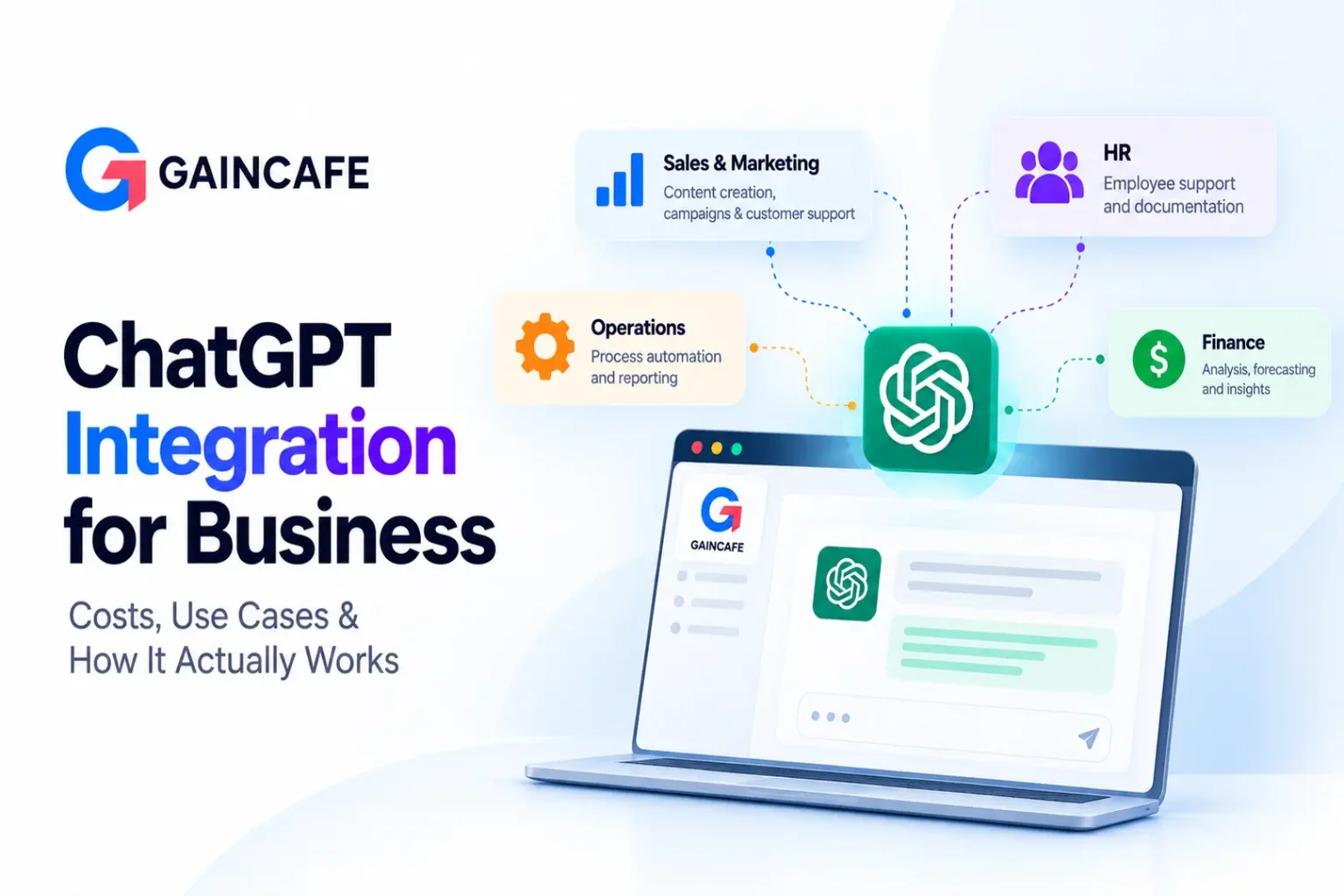
Almost every business has used ChatGPT by now. The harder question is how to move from a few people typing into a chat window to actually building ChatGPT into how your business runs, inside your app, your support desk, your CRM, and your internal tools. That is what ChatGPT integration for business really means, and it is where the genuine returns, and the real decisions, live.
This guide is written for the business owner or decision-maker weighing that step. We will cover what integration actually involves, the two very different paths you can take, what it costs to build and to run in 2026, the use cases that pay off fastest, and how to avoid the mistakes that sink these projects. No hype, just the practical picture.
What ChatGPT Integration for Business Actually Means
At its simplest, ChatGPT integration means connecting OpenAI's AI models to your own systems and data so the intelligence works inside your business, not in a separate browser tab. Instead of staff copying information into ChatGPT and pasting answers back, the AI lives where the work happens and acts on your actual information.
That can look like a support assistant on your website that answers from your real help content, an internal tool that lets staff ask questions of years of company documents, or a feature inside your own product that drafts, summarizes, or analyzes on demand. The common thread is that generic AI becomes your AI, grounded in your data and wired into your workflow.
Subscriptions vs Custom Integration: Which Do You Actually Need?
This is the first fork in the road, and getting it right saves a lot of wasted money. There are two completely different ways to bring ChatGPT into a business, and they solve different problems.
ChatGPT subscriptions are seats you buy so your people can use ChatGPT directly. Paid individual and business plans are designed for people using AI as a productivity tool, while enterprise offerings provide additional organizational controls and capabilities. These are the right choice when you want your staff to use AI as part of their daily work.
Custom integration is different. Here you connect OpenAI's API to your own software, so the AI becomes part of a process rather than a tool a person opens. This is what you need when you want a customer-facing assistant, an AI feature in your product, or automation that runs without a human prompting it each time.
The cleanest way to decide is a simple rule: buy seats for people, build an integration for processes. If you want humans to work faster, subscriptions may be enough. If you want the AI to do something automatically inside your systems, you need custom integration. Many businesses eventually do both. The rest of this guide focuses on the custom integration side, since that is where development, cost, and architecture decisions come in.
How ChatGPT Integration Works
You do not need to be technical to understand the shape of it, and knowing the flow makes every later cost decision clearer. A request moves through a few layers before an answer comes back.
The user types or speaks a question in your app or website. Your backend, the part you control, receives it, and before calling the AI, it does the important work: it gathers the right context, often by searching your own data for the most relevant information. That retrieval step, known as RAG, is what keeps answers accurate and specific to your business rather than generic.
The backend then sends the question, the context, and your instructions to the OpenAI model, which generates a response. If the task requires an action, like looking up an order or updating a record, the model can call your connected systems to do it. Finally, your backend checks the answer against your rules and sends it back to the user.
The model is the part you rent. Everything around it, the retrieval, the data, the integrations, and the guardrails, is the part you build, and it is where most of the effort and value sit.
Why Businesses Integrate ChatGPT
The reason is rarely "because AI is trending." It is almost always a specific, expensive, repetitive problem that an intelligent assistant can take off the team's plate. The strongest cases tend to be these:
- Support that scales without more headcount. The assistant handles the flood of common questions instantly and around the clock, passing the genuinely tricky ones to a human.
- Instant access to internal knowledge. Staff stop digging through wikis, PDFs, and old threads, and simply ask a question to get an answer drawn from company documents.
- Automation of routine text work. Drafting replies, summarizing documents, extracting data from forms, and writing follow-ups, all handled in seconds.
- Smarter customer experiences. Personalized recommendations and guidance based on a customer's actual history and context.
- New AI features in your own product. For software businesses, ChatGPT integration can become a selling point rather than an internal tool.
The common pattern is high-volume, repetitive work with a clear right answer. That is where integration pays for itself fastest, and where you should start.
The businesses that win with AI are not the ones that deploy the most. They are the ones that aim it at one expensive, repetitive problem and measure the result.
Top Use Cases by Business Function
The same technology creates value in very different places depending on where you point it. Here is how it plays out across a typical business.
- Customer Support: An assistant answers common questions from your help content, deflects repetitive tickets, and hands complex cases to agents with full context attached. This is usually one of the fastest paths to measurable payback.
- Sales: Drafting follow-up emails, summarizing calls, qualifying inbound leads, and preparing account briefs, so the team spends more time selling and less time typing.
- Operations: Reading invoices, contracts, and forms, extracting the important fields, and pushing them into the right system, removing hours of manual entry.
- HR and Internal Teams: An internal assistant that answers policy questions, helps with onboarding, and lets any employee search the company's collective knowledge instantly.
- Product: AI features built directly into your software, from smart search to in-app assistants, that make the product itself more valuable.
If you are building a full standalone assistant rather than a feature, it is worth reading our deeper guide on ChatGPT-like app development, which covers the architecture, features, cost, and development process of a complete product.
Not sure which use case to start with?
Tell us your biggest repetitive problem and Gaincafe will help you scope a ChatGPT integration around the use case with the clearest potential for payback.
Book a Free Scoping CallWhat ChatGPT Integration Costs in 2026
Cost depends almost entirely on how deep the integration goes, from a simple assistant on a web page to an AI agent wired into your core systems. Here are realistic 2026 ranges for custom development. Treat them as planning estimates, since a detailed scope always moves the number.
| Integration type | What it includes | Indicative cost | Timeline |
|---|---|---|---|
| Basic chatbot or FAQ assistant | Simple API connection, limited data, standard UI | $8,000 to $20,000 | 4 to 8 weeks |
| Mid-tier integration with RAG | Answers from your own data, custom workflows, a few integrations | $20,000 to $50,000 | 2 to 3 months |
| Full AI agent with system integration | Tool-calling, CRM and database connections, actions across systems | $50,000 to $150,000+ | 3 to 6 months |
The jump in cost between tiers is not about a fancier AI model. It is about how much of your business the integration touches. A chatbot that answers from a help page is straightforward. An agent that reads your CRM, updates records, and triggers actions across connected systems is real engineering, built on solid API integration work, and it is priced accordingly.
For a broader view of AI budgets beyond ChatGPT specifically, see our guide to AI integration cost.
The Ongoing Costs: Tokens, Usage, and Running the System
Here is the part that catches first-time buyers. The build is a one-time cost. Running the integration is a monthly one, and unlike normal software, it gets more expensive as more people use it, because you pay the model provider for usage, measured in tokens.
For a moderately active business application, API costs can range from a few hundred to a couple of thousand dollars a month depending on volume, model selection, prompt size, and how much context each request carries. A customer-support bot handling thousands of conversations a month may cost substantially less than an agent performing long, multi-step tasks with expensive models.
Beyond the model itself, ongoing costs include cloud hosting, a vector database if you use RAG, monitoring to track quality and spend, and regular maintenance. The good news is that a well-built integration can reduce token costs through simple techniques like trimming unnecessary context, routing simple requests to lighter models, and caching common answers.
The key is to model your usage at low, medium, and high adoption before you launch, so a sudden spike in popularity does not become a billing shock.
Budget for the running system, not just the build. An integration that is cheap to launch can become expensive to operate if nobody planned for the usage.
Want your ChatGPT running costs modelled honestly?
We will estimate your build and monthly token costs at real usage, so there are no surprises after launch.
Get a Transparent EstimateWhat Affects the Cost Most
Two integrations aimed at the same goal can differ sharply in price. A few factors explain most of the gap:
- Data readiness. If your knowledge is clean and organized, RAG is simple. If it is scattered across formats and systems, preparing it is often the single biggest piece of work.
- Depth of integration. Connecting to one data source is easy. Wiring the AI into your CRM, support desk, and databases multiplies the effort.
- Whether it acts or just answers. An assistant that replies is simpler than an agent that takes actions inside your systems, which needs careful testing and guardrails.
- Model choice. Premium models cost more per use but may need less tuning, while lighter models can reduce costs on high-volume, simple tasks.
- Security and compliance. Regulated data raises the bar and the cost, especially in healthcare and finance.
- Team and location. Rates vary by region and seniority, making development team structure one of the major levers on build price.
The Integration Process, Step by Step
A solid project follows a clear sequence. Rushing past the early steps is the most reliable way to overspend, because problems found late cost far more than catching them early.
- Discovery and use-case definition. Pin down the exact problem, the users, and what success looks like. A tight use case is the difference between a project that ships and one that sprawls, and for simple ideas it is often worth validating quickly with AI app builders before committing to a full build.
- Data and architecture planning. Decide what data the AI needs, how it will retrieve it, and how the pieces fit together.
- Model and API integration. Connect the OpenAI model and build the context management that feeds it the right information each turn.
- Knowledge and RAG setup. Ingest, clean, and index your data so answers are grounded in your content rather than guesswork.
- System integrations. Connect the CRM, support desk, database, or other tools the assistant needs to read from or act on.
- Testing and AI evaluation. Beyond normal testing, evaluate the AI itself: is it accurate, does it stay on topic, does it refuse what it should. This step is unique to AI projects and easy to underinvest in.
- Security review and deployment. Check for data leaks and access issues, then ship with proper monitoring in place.
- Monitoring and optimization. Watch real usage, control costs, refine prompts, and improve the system based on what users actually do.
A capable team using modern AI development tools can often bring a focused integration within two to four months, depending on scope and data readiness. Businesses that want to extend their own team can also hire AI developers for custom solutions for exactly the phase that needs specialist skills.
How Long It Takes
Timelines track complexity. A basic chatbot or FAQ assistant usually takes 4 to 8 weeks. A mid-tier integration with RAG and custom data runs 2 to 3 months. A full AI agent that connects to and acts across your systems takes 3 to 6 months or more. The biggest variable is almost always data readiness, not coding speed. Clean, accessible data is the fastest way to a shorter timeline, while scattered or inconsistent data is a common source of delay.
Security, Privacy, and Compliance in 2026
An integration that touches real business or customer data has to be secure, and AI adds a few considerations beyond ordinary software. The essentials are standard but non-negotiable: proper authentication and role-based access so people only see what they should, encryption of data in transit and at rest, API keys kept safely on the backend rather than exposed in the browser, and audit logging of who did what.
AI-specific safeguards matter too. Guardrails keep the model on topic and prevent it from revealing information it should not, and good design assumes someone will try to manipulate the model with crafted inputs and guards against it. On the data side, the paid business and enterprise tiers of ChatGPT do not use your data to train models by default, which is a key reason businesses choose them over free accounts.
Two 2026 points are worth flagging. For US healthcare, using ChatGPT with protected health information requires a signed business associate agreement, available on ChatGPT Enterprise, so compliance is a plan-level decision, not just a technical one. And the EU AI Act, now applying through 2026, requires human oversight and impact assessment for higher-risk uses, so if you operate in or serve the EU, build that in from the start rather than retrofitting it later.
Common Challenges and How to Avoid Them
Integration is not the same as ordinary development, and a handful of challenges catch teams that treat it that way:
- Hallucinations. Models can produce confident, wrong answers. Grounding responses in your real data through RAG, adding guardrails, and evaluating accuracy continuously is the fix.
- Runaway costs. Usage-based billing can surprise you. Routing simple queries to cheaper models, trimming prompts, and caching keep the bill sane.
- Latency. Users expect fast replies. Streaming responses and choosing the right model for each task keep it snappy.
- Messy data. The most common cause of delay and cost overrun. Cleaning data before you build saves far more than it costs.
- Integration complexity. Connecting to older systems is often harder than the AI itself and needs experienced engineering.
- User trust. If the assistant is wrong too often, people stop using it. Accuracy, transparency, and a clean path to a human all build trust.
None of these are reasons to avoid integration. They are reasons to build with a team that has shipped AI into production before and knows where the problems hide.
How to Choose an Integration Partner
The partner you pick makes most of the technical decisions, so this choice matters more than almost any other. Look for real, production-shipped AI experience rather than demos, genuine skill with RAG and connecting AI to business data, and solid integration experience with the kind of systems you run. Ask to see something they built and what they fixed after launch, since specific answers signal real experience and vague ones signal the opposite.
Beyond skill, confirm they take security seriously, especially for regulated data, that they evaluate the AI's accuracy and not just whether the buttons work, and that they offer proper support after launch, because an AI integration needs ongoing care. Finally, make sure you own the code, the data, and the accounts in writing. A strong partner will also be honest about trade-offs rather than promising everything, and will tell you when a simple subscription would serve you better than a custom build.
Measuring ROI From a ChatGPT Integration
An integration is an investment, and the value is measurable if you decide upfront what to track. The clearest metrics are support resolution time and the share of queries the assistant handles without a human, response times, employee hours saved on repetitive work, lead conversion for customer-facing assistants, and customer satisfaction scores. The honest way to judge it is to set a baseline before launch and measure the change afterward, rather than chasing a single headline number. The strongest signal that an integration is working is a specific, named cost it removes or a specific outcome it improves.
Ready to put ChatGPT to work inside your business?
From a focused support assistant to a full AI agent across your systems, Gaincafe builds ChatGPT integrations that deliver real ROI, with senior engineers and full ownership. Get a transparent estimate today.
Start Your IntegrationThe Bottom Line
ChatGPT integration for business in 2026 comes down to a few clear decisions: whether you need subscriptions for people or a custom build for processes, which repetitive problem to solve first, how deep the integration goes, and what it will cost to both build and run.
Get those right, and the technology stops being a novelty and starts removing real cost from your business.
Start with one high-value use case, ground the AI in your own data, plan for the running costs, and build with a team that has done this before. If you are ready to explore what a ChatGPT integration could do for your business, Gaincafe Technologies helps companies plan and build practical AI through its AI integration and automation services, with a focus on real results rather than expensive experiments.
Ready to put ChatGPT to work inside your business? From a focused support assistant to a full AI agent across your systems, Gaincafe builds ChatGPT integrations that deliver real ROI, with senior engineers and full ownership.