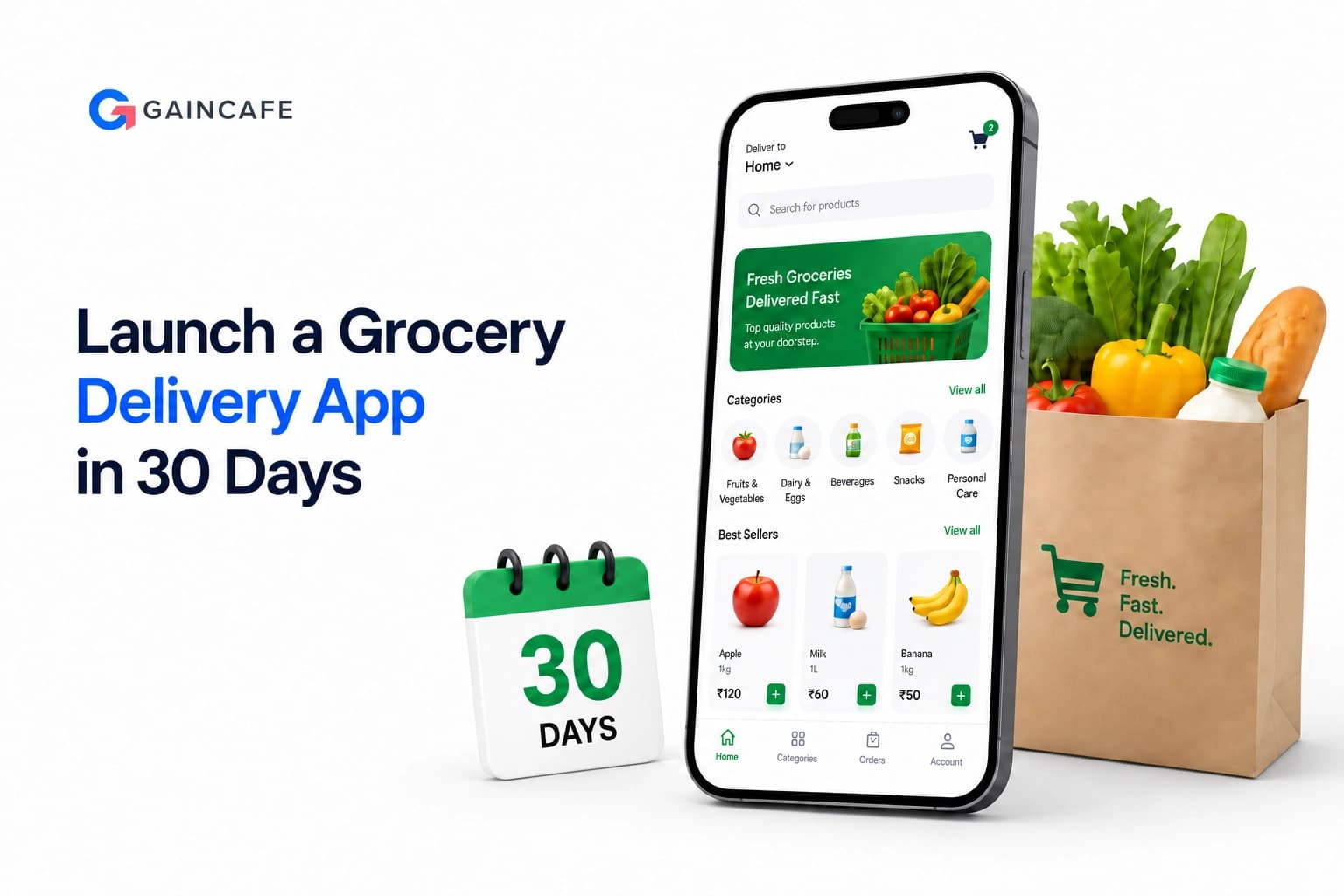
The online grocery delivery market is exploding, projected to reach $1.4 trillion by 2027. But traditional grocery app development can take 6-12 months – time you don't have if you want to beat the competition. That's where the MVP approach comes in. With smart planning and cutting-edge tools, you can launch a functional MVP grocery delivery app development project in just 30 days without sacrificing quality or essential features.
This guide will show you how leading grocery delivery app development companies leverage AI and automation to accelerate development cycles, cut costs by up to 60%, and get to market faster than ever. By the end, you'll know how to build your own grocery delivery mobile app development project on a fast track to success.
Launch Your Delivery App in 4-8 Weeks
From concept to App Store, we handle everything. Custom grocery delivery apps built for success.
Why MVP Approach Matters for Grocery Delivery App Development
Building a full-featured grocery delivery app from scratch is like trying to boil the ocean. The MVP (Minimum Viable Product) approach flips this model by starting small and focused. Here's why MVP is crucial in on-demand grocery delivery app development:
- Validate the Concept: An MVP lets you test real market demand before investing $100K+ in a full build.
- Rapid Launch: Go live in 30 days instead of 6-12 months, capturing users and feedback sooner.
- Cost Efficiency: Start with ~30% of the full development cost. (MVP grocery app development cost typically $15k-$40k vs. $80k-$250k for a full app.)
- Real User Feedback: Get early users and learn what features they actually want.
- Attract Investors: Show traction and a working product to raise funds faster.
- Competitive Advantage: Beat slower competitors to market and start building your brand and user base now.
For entrepreneurs planning online grocery app development, an MVP strategy ensures you focus on core features first. This lean grocery shopping app development approach trims costs and validates your concept in real-world conditions.
AI-Powered Automation: The Game-Changer in 2026
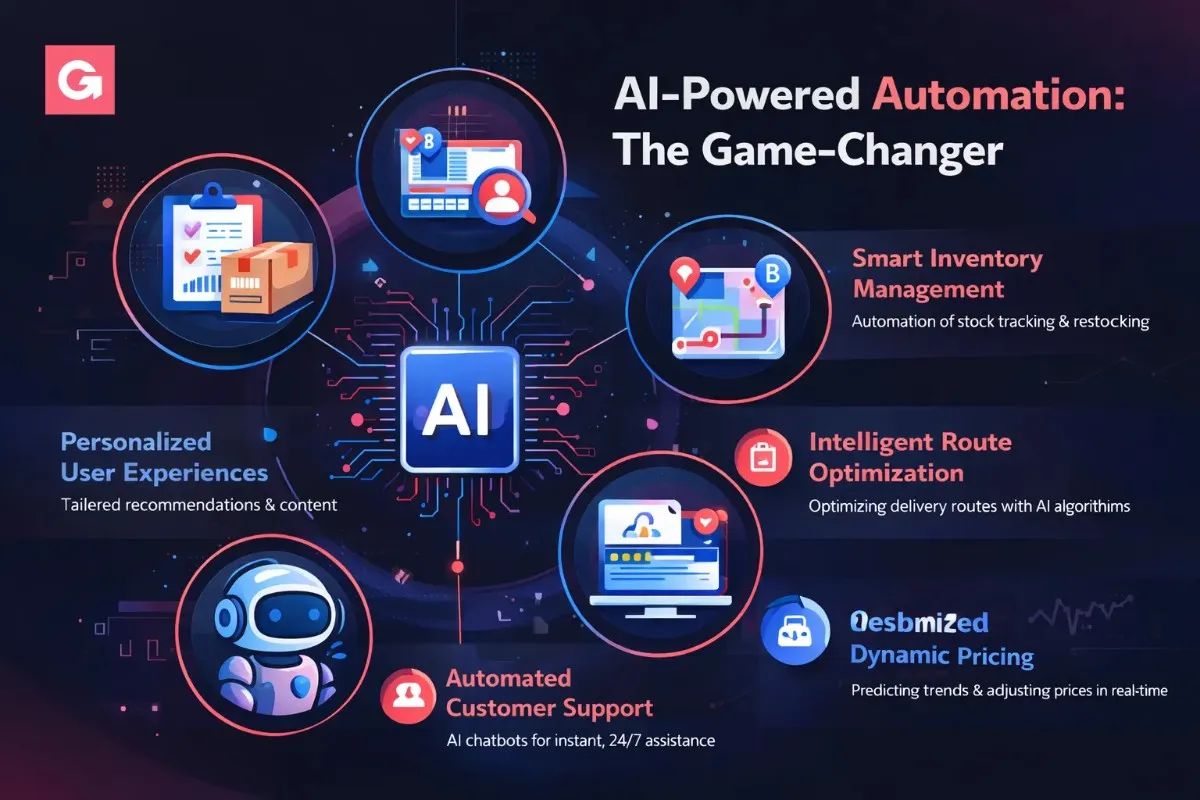
Modern grocery delivery app development leverages artificial intelligence to slash development time and automate key features. AI integration isn't just a nice-to-have in 2026 – it's a game-changer that can elevate your app's capabilities from day one. With over 20% of grocery shoppers now buying online, AI helps make those experiences seamless and efficient.
Here are the core AI-driven features to consider:
1. Smart Inventory Management
Use AI algorithms to track stock levels in real time and predict demand. The system can auto-reorder items before they run out and even notify suppliers automatically. This reduces manual inventory tasks by up to 85% and prevents out-of-stock issues.
2. Intelligent Route Optimization
AI-powered route planning ensures faster deliveries. The app can analyze real-time traffic, weather, and order locations to give drivers the most efficient path. This dynamic routing cuts delivery times by ~35% and saves fuel. It can also auto-assign drivers based on location and order load for optimal efficiency.
3. Personalized User Experiences
AI makes your app feel like Netflix for groceries. A recommendation engine analyzes each user's browsing and purchase history to suggest products they might like. The app can offer smart search results, personalized grocery lists, and timely reorder reminders. This not only delights users but also boosts average cart value.
4. Automated Customer Support
Implement AI chatbots to handle common customer queries 24/7. Modern chatbots (powered by NLP and models like ChatGPT) can answer questions about order status, help with simple order changes, and resolve issues instantly. By handling ~70% of support requests, AI chat reduces the load on your team and improves customer satisfaction.
5. Demand Forecasting & Dynamic Pricing
Machine learning can predict peak order times and high-demand products by analyzing historical data, weather, or local events. Your app can automatically adjust delivery slot availability or apply surge pricing when demand spikes (similar to ride-sharing apps). This ensures you have enough drivers on the road and optimizes revenue. AI forecasting also helps stock the right products and reduces waste by up to 40%.
AI in development: Don't forget that AI can speed up the grocery mobile app development process itself. Teams now use AI-assisted coding tools and automated testing frameworks to write and QA features faster. This is part of how some companies deliver MVPs in weeks instead of months.
Learn More about Chatbot Development
Custom grocery delivery app development. iOS, Android, Admin Panel. Ready to dominate your market?
Your 30-Day MVP Launch Timeline
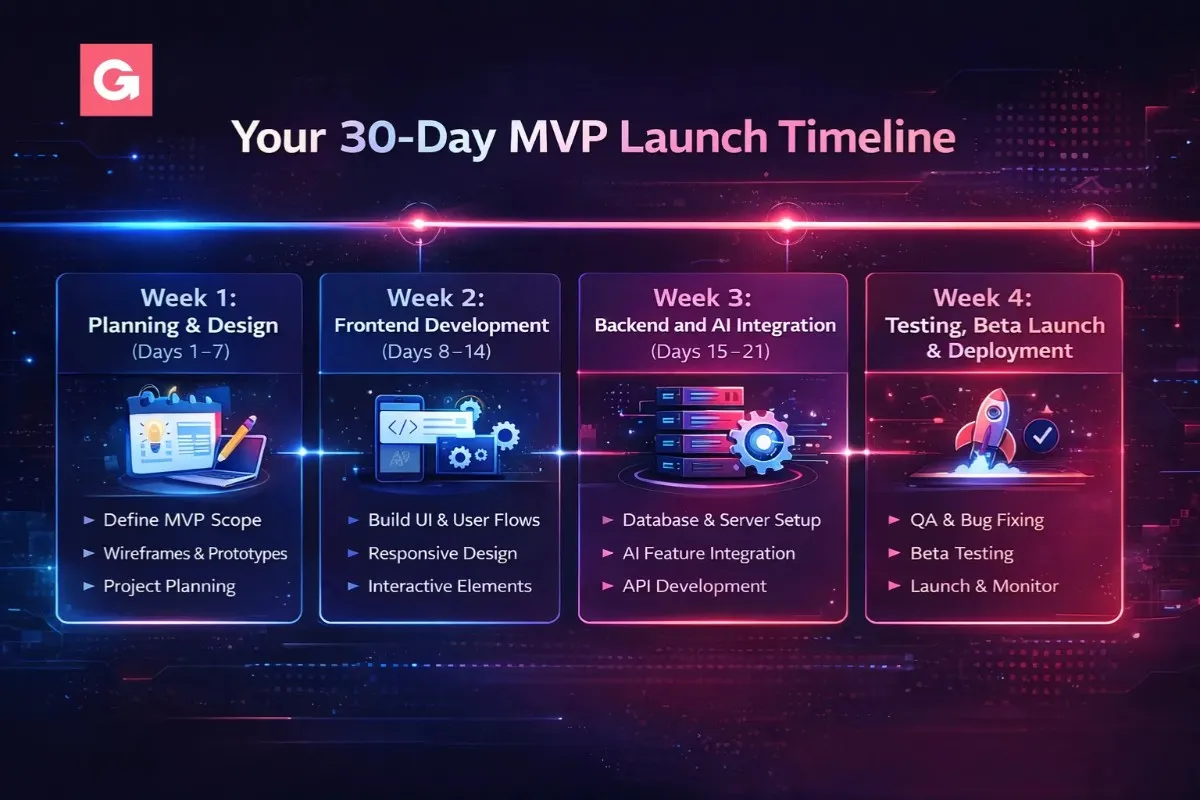
Wondering how it's possible to build a grocery app in just one month? Here's the proven roadmap used by leading grocery app development companies to deliver an MVP in 30 days. Each week has clear goals and outcomes:
Week 1: Planning & Design (Days 1–7)
- Market Research (Days 1-2): Define your target audience and their pain points. Analyze competitor apps (Instacart, Amazon Fresh, etc.) to identify must-have features. Finalize a core feature list of no more than 8-10 features for your MVP. Set success metrics (e.g. first-month user count, orders per day).
- UX/UI Design (Days 3-5): Create wireframes for key user flows like browsing, cart, and checkout. Then design high-fidelity mockups for the core screens (perhaps 5-7 screens). Establish a simple, clean design system with your brand colors and elements. Do quick user testing on an interactive prototype to gather early feedback.
- Technical Setup (Days 6-7): Choose your tech stack and architecture. For example, decide on cross-platform development (React Native or Flutter) to build one app for both iOS and Android. Plan your database (PostgreSQL or MongoDB) and server environment. Set up the project repo and CI/CD pipeline. Essentially, lay the foundation so coding can start Week 2.
Week 2: Frontend Development (Days 8–14)
Focus on building the customer-facing parts of your app this week. Key features to implement:
- User Accounts: Implement user registration, social/OAuth logins, and profile management.
- Product Catalog & Search: Display grocery items with categories, and integrate an AI-powered search bar with filters (so users can quickly find "organic apples" or "gluten-free bread").
- Shopping Cart & Checkout: Develop a shopping cart that saves across sessions, and a basic checkout flow with multiple payment options (credit card, PayPal, etc.). Ensure it's mobile-friendly and easy to edit cart items.
- Order Tracking UI: Create an order status page or section where users can see current orders and delivery ETA. Set up push notifications for order confirmation, out-for-delivery, etc.
- Smooth UX: Throughout frontend development, emphasize a responsive design and fast load times (<3 seconds). Implement offline support for browsing cached items or the cart, so spotty internet doesn't ruin the experience.
Week 3: Backend and AI Integration (Days 15–21)
This week you'll build the server side and plug in the AI features:
- Backend Development: Set up a scalable backend with RESTful APIs (for example, Node.js + Express or a Python Django framework). Develop endpoints for products, orders, user accounts, payments, etc. Integrate a payment gateway like Stripe for secure payments. Establish your database and ensure queries are optimized. Also, build an admin panel (web interface) for you/partners to manage inventory and view orders in real time.
- AI Feature Integration: Now bring in the intelligent features. Implement the product recommendation engine (you can use a service like Amazon Personalize or a custom ML model) to generate "Recommended for you" lists. Set up the route optimization logic – possibly using the Google Maps API combined with an AI scheduling algorithm – so drivers get efficient routes. Deploy the AI chatbot for customer support within the app or website (services like Dialogflow or Azure Bot Service can help). These integrations will elevate your MVP above a basic app.
Week 4: Testing, Beta Launch & Deployment (Days 22–30)
- Quality Assurance (Days 22-25): Rigorously test every feature. Conduct functional testing on different devices (Android, iPhone, tablets) to ensure everything works. Do performance testing – can the app handle 500 or 1000 concurrent users? Fix any critical bugs. Also verify security basics (secure API calls, encrypt sensitive data, use HTTPS everywhere).
- Beta Testing (Days 26-27): Release the app to a small group of beta users (50-100 people). This can be via TestFlight for iOS and a private Play Store listing or APK for Android. Gather feedback: are there any usability issues? Any features confusing or missing? Pay attention to the beta data and tweak your AI algorithms (for example, are the recommendations relevant? are delivery ETAs accurate?). Fix high-priority issues quickly.
- Launch Prep (Days 28-30): Finalize your App Store and Google Play Store listings – write a compelling description, prepare screenshots, and optimize with relevant keywords (App Store Optimization). Double-check compliance with store guidelines. Plan your marketing for launch day (social media posts, maybe small ads, leveraging any waitlist you built). When ready, submit the apps for review. By Day 30, you're launching your MVP to the world! 🚀
This 4-week timeline is intense but achievable with a focused team. The key is strict scope control – building only the core must-have features in the MVP. Everything "nice to have" gets saved for later. Many grocery app development companies use agile sprints exactly like this to compress development timelines dramatically.
How to Staff a 4-Week MVP Build
Compressing grocery app development into 30 days puts real pressure on staffing. Week two calls for a React Native or Flutter developer who can move fast on a cross-platform build. Week three needs a backend engineer plus someone who has actually integrated a recommendation model or a chatbot service before. Week four leans on QA. Hiring full-time for a four-week sprint rarely makes sense, and waiting weeks to find the right person eats the timeline you're trying to protect.
Upwork is built for exactly this kind of staged, project-based hiring. Founders can post a scoped job, review proposals from independent professionals across mobile development, ML integration, UX, and QA, and start work in days rather than months. Job Success Scores, past client reviews, and skill badges make it easier to filter for people who have shipped delivery or e-commerce apps before, and built-in milestones and contracts keep each week of the MVP plan tied to a specific deliverable.
Essential Features for Your MVP Grocery Delivery App
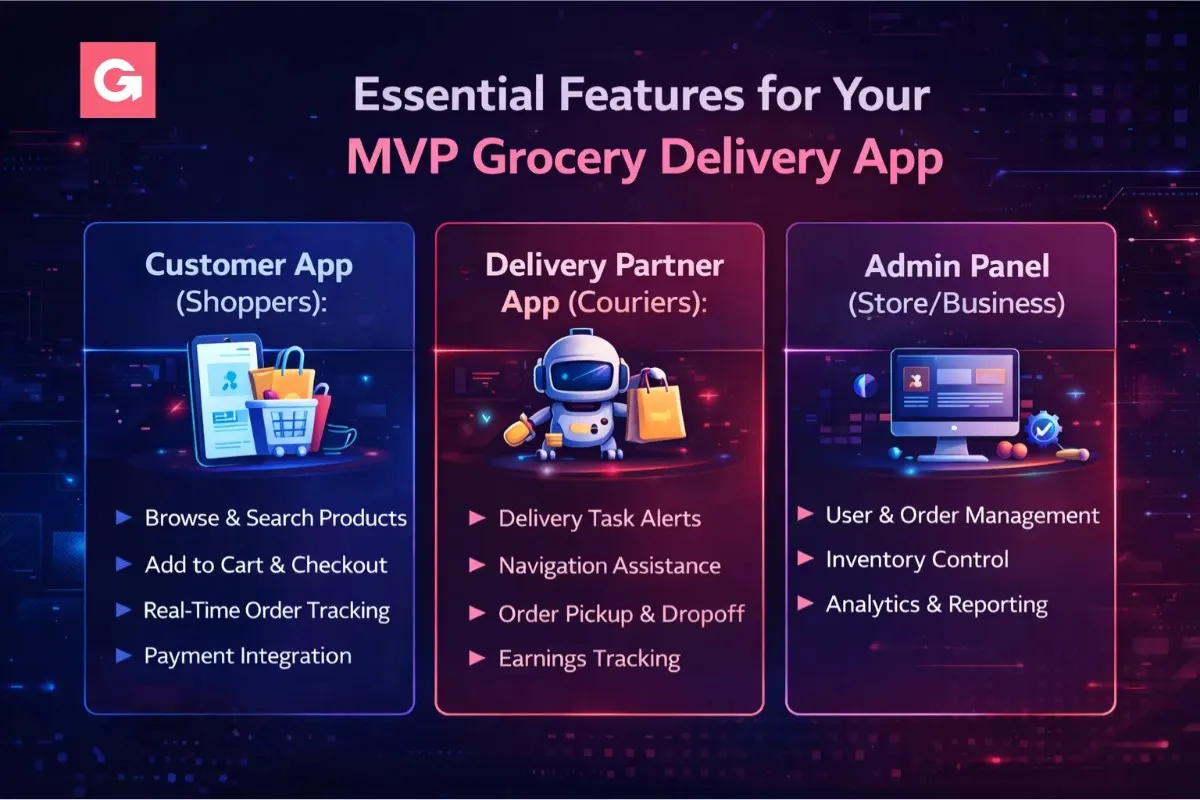
What features are absolutely essential for a grocery delivery MVP? You should cover three facets: the customer app, the delivery driver app, and the admin panel (for you or store managers). Here are the must-haves:
Customer App (Shoppers):
- Easy Sign-Up/Login: Quick registration with email, phone, or social accounts. Frictionless onboarding is key to not losing users.
- Product Catalog & Search: A clear catalog with categories, filters, and a smart search bar. Users should see real-time product availability (no ordering out-of-stock items).
- Shopping Cart & Wishlist: Users can add items to cart, save favorites, and modify quantities easily. The cart should persist if they leave and come back.
- Multiple Payment Options: Support credit/debit cards, digital wallets, UPI, COD, etc., to cater to everyone. Ensure secure checkout (PCI-compliant).
- Order Tracking: Live tracking so customers know if their order is confirmed, picked, and out for delivery. A map view of the driver en route is a big plus.
- In-App Chat/Support: A way for users to get help or make special requests (e.g. "ripe bananas only") via chat or chatbot.
- Ratings & Reviews: Allow customers to rate orders and items, building trust and helping you improve service.
Delivery Partner App (Couriers):
- Simple Onboarding: Easy sign-up and verification process for drivers, possibly with document upload for license, etc.
- New Order Alerts: Drivers get notified of new delivery tasks and can accept or reject orders.
- Optimized Routes: In-app navigation using Google Maps or similar, with AI-optimized multi-stop routes to save time. Turn-by-turn directions and traffic data help meet quick delivery promises.
- Earnings Dashboard: Drivers can see their earnings, tips, completed deliveries, and upcoming tasks in one place.
- Status Updates: Ability for driver to mark steps (order picked, order delivered) and contact the customer if needed.
- Proof of Delivery: Option to upload a photo or have the customer e-sign on delivery, to confirm completion.
Admin Panel (Store/Business):
- Dashboard: Overview of orders, active users, and real-time sales. Key metrics at a glance.
- Inventory Management: Add/update products, adjust stock levels, and get alerts for low stock. Ideally, tie this with AI so it can auto-update inventory and suggest reorders.
- Order Management: View all orders, assign orders to drivers (if not automated), and handle exceptions or refunds.
- User & Driver Management: Manage user accounts, driver profiles, and support tickets.
- Analytics & Reports: Sales reports, order frequency, popular items, etc., to glean insights.
- Promotions & Coupons: Ability to create discount codes, referral bonuses, and loyalty rewards to drive growth.
These core features make your app usable and valuable to all parties. Fancy extras (social sharing, elaborate loyalty programs, etc.) can wait for later versions. Nail the basics first during grocery app development of your MVP.
Trending AI Features in Grocery Apps for 2026
To stand out in 2026, consider adding one or two of these trending features (if they align with your vision):
- Voice Ordering: Allow users to search or add items via voice commands (think: "Alexa, add 2 gallons of milk to my cart"). Voice assistants are increasingly popular for hands-free convenience.
- Visual Search: Users snap a photo of a product (or scan a barcode), and the app finds that item or the closest match. This uses image recognition AI and can impress users who find typing cumbersome.
- Smart Lists & Recipes: The app can generate grocery lists from recipes or past purchase habits. For example, if a user frequently buys ingredients for smoothies, suggest a "Smoothie Pack" list.
- Best Delivery Time Prediction: Use AI to suggest optimal delivery slots based on the user's past behavior and location traffic patterns (e.g. "Your preferred delivery time is usually 6-7pm when you're home").
- Automatic Substitutions: When an item is out of stock, an AI can recommend the next best alternative (same brand different size, or similar product). The user can approve with one tap, preventing order delays.
- Eco-Friendly Options: Some apps now show the carbon footprint of your order or offer "green delivery" choices (like bicycle delivery or EV vehicles). This appeals to sustainability-conscious consumers.
Incorporating such features can set your app apart. Just be mindful of not overloading the MVP – pick one that aligns with your niche and do it well.
Grocery App Development Cost Breakdown
One of the biggest questions is cost. How much should you budget for an MVP vs a full-featured app? Below is a breakdown of typical grocery app development cost components for an MVP, along with how AI/automation can save time (and money) in each:
| Component | MVP Cost Range (USD) | Timeline (approx.) | How AI/Automation Helps |
|---|---|---|---|
| Market Research & Planning | $1,000 - $2,000 | 3-5 days | AI market analysis tools (e.g., trend analytics) streamline research |
| UI/UX Design | $2,500 - $5,000 | 5-7 days | AI-powered design tools (templates, heatmap predictions) speed up prototyping |
| Frontend Development | $5,000 - $10,000 | 7-10 days | Use of cross-platform frameworks and pre-built UI components accelerates work |
| Backend Development | $4,000 - $8,000 | 8-10 days | Serverless architecture and BaaS (Backend as a Service) can reduce custom code |
| AI Integration | $2,000 - $5,000 | 4-6 days | Plugging in ready ML APIs (recommendations, chatbot) saves development time |
| Payment Gateway | $500 - $1,500 | 2-3 days | Many gateways offer plugins/SDKs for quick integration |
| Testing & QA | $1,500 - $3,000 | 4-5 days | Automated testing scripts and AI testing tools catch bugs faster |
| Deployment & Launch | $1,000 - $2,500 | 3-4 days | CI/CD pipelines automate app builds, testing, and deployment |
| Total MVP (Estimate) | $17,500 - $37,000 | ~30 days | 40-60% faster development cycle with AI and agile methods |
* Note: A full-scale grocery store app development (with all features, multiple platforms, and a robust backend) can cost $80,000 to $250,000 or more, usually taking 6+ months. By starting with an MVP, you significantly lower upfront costs and time to market.
Want an accurate chatbot cost estimate?
Stop overthinking. Start building. Gain Cafe turns your delivery app vision into a working product – fast.
Technology Stack for Rapid MVP Development
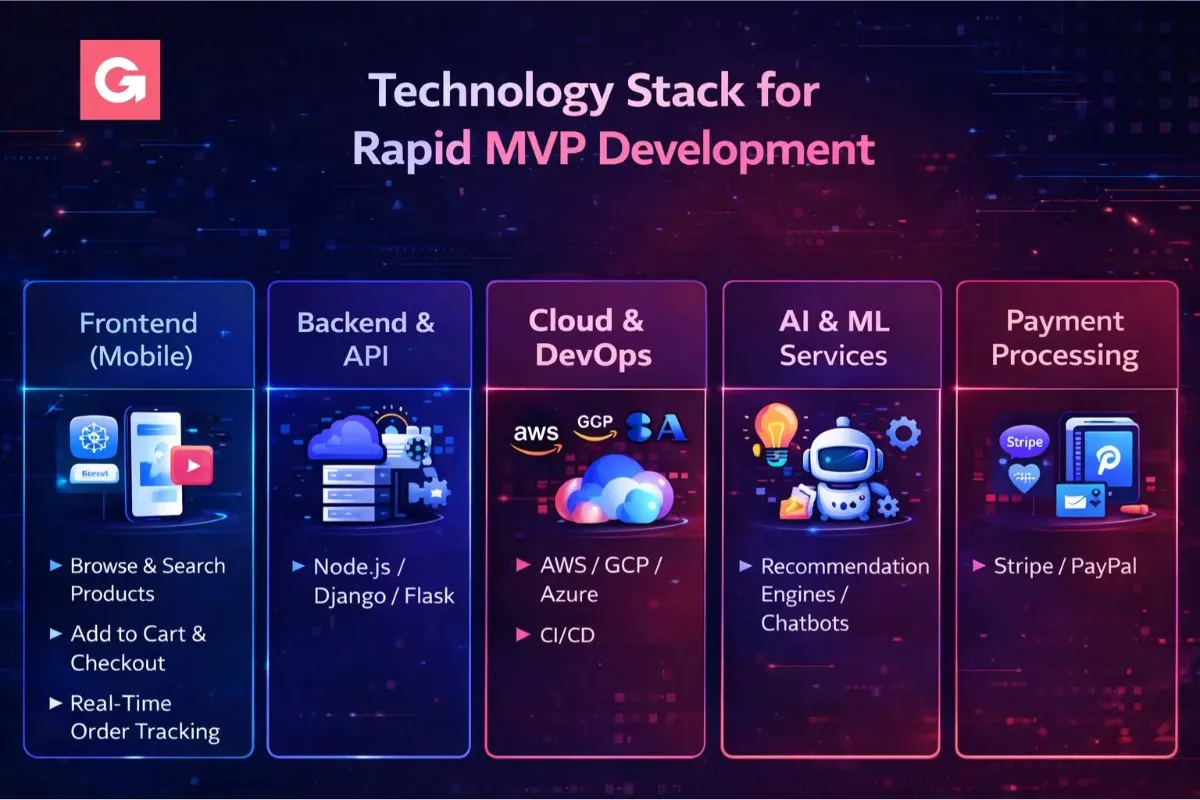
Choosing the right tech stack is crucial for speed. You want tools that are quick to develop with, scalable, and well-supported. Here's a recommended tech stack commonly used for rapid grocery delivery app development:
- Frontend (Mobile): Use React Native or Flutter for cross-platform development, enabling you to maintain one codebase for iOS and Android. This dramatically speeds up grocery delivery mobile app development. Manage state with Redux or MobX, and consider TypeScript for fewer runtime errors.
- Backend & API: Use a high-productivity framework like Node.js with Express or Python Django/Flask. They have lots of libraries to quickly implement common functions. A relational database like PostgreSQL or scalable NoSQL like MongoDB works for storing product catalogs and orders. Use RESTful APIs (or GraphQL if needed) to communicate between the app and server.
- Cloud & DevOps: Deploy on reliable cloud services – e.g. AWS or Google Cloud. Use Docker containers to package your app and ease deployment. Set up CI/CD with GitHub Actions, Jenkins, or GitLab CI so that each code commit runs tests and builds automatically. Consider Firebase or Supabase for quick authentication, real-time databases, and other BaaS features to save time.
- AI & ML Services: Instead of reinventing the wheel, leverage existing AI services. For recommendations, services like Amazon Personalize or TensorFlow Lite (on-device) can be integrated. For route optimization, Google Maps API paired with optimization algorithms works well. For chatbots, tools like Dialogflow or Azure Bot Service can jump-start your AI support feature. These pre-built AI components mean you don't need a huge data science team to add smart features.
- Payment Processing: Use trusted payment gateways like Stripe, Braintree, or PayPal SDKs. They offer easy integration, handle compliance (PCI), and support Apple Pay/Google Pay for a smooth checkout experience.
This stack is geared towards speed without compromising on future scalability. It supports an "API-first" approach, which means down the line you can easily integrate with a web frontend, partner systems, or even IoT devices.
7-Step Process to Build Your MVP Grocery App
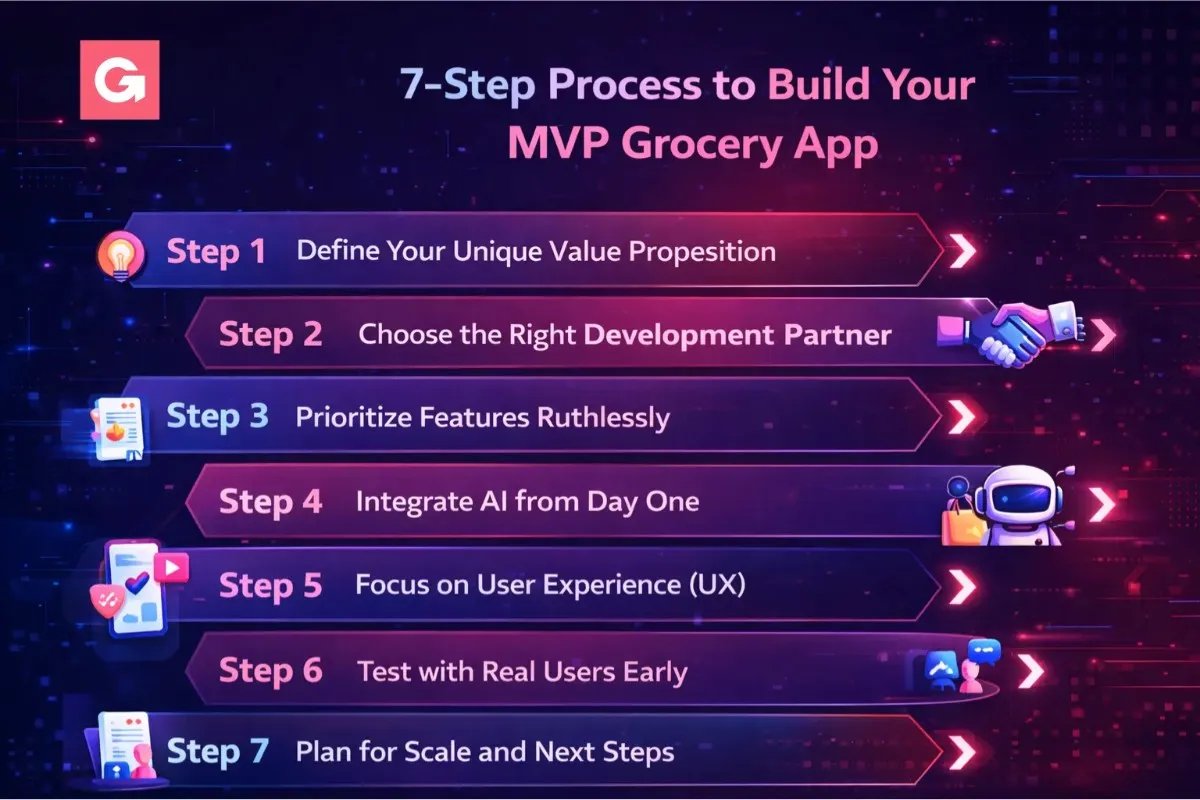
Ready to get moving? Here is a concise 7-step roadmap to build and launch your MVP successfully:
Step 1: Define Your Unique Value Proposition
Identify what will make your grocery app stand out. Are you focusing on a niche (e.g. organic produce, local farmer's market goods)? A specific geography (a small city or region that big players underserve)? Or a unique service promise (30-minute delivery, zero-waste packaging, etc.)? Clarify your USP early, because it will guide your feature priorities and marketing message.
Step 2: Choose the Right Development Partner
If you're hiring help, pick an experienced grocery app development company or team. Look at their portfolio for similar delivery or e-commerce projects. Do they have AI/ML integration expertise? Check client testimonials or case studies. Also ensure they follow Agile methodologies (so you get iterative builds each week) and offer post-launch support. Good communication is key – you want a partner who updates you daily or weekly, given the tight timeline.
Step 3: Prioritize Features Ruthlessly
For your MVP, less is more. List out all features you wish to have, then cut it down to the 8-10 that directly support your core value prop. For example, must-haves might be user login, product browsing, cart/checkout, payment, order tracking. Secondary nice-to-haves (save for Version 2.0) might include things like a loyalty program, advanced search filters, social sharing of carts, etc. Every feature you add beyond the essentials can risk the 30-day deadline, so be ruthless here.
Step 4: Integrate AI from Day One
Don't treat AI as an afterthought. Plan from the start which AI features will be in the MVP and design your architecture for it. Maybe you'll include an AI recommendation carousel on the home screen, or an AI-powered chatbot in the support section. Set up the APIs or models early in development so you have time to fine-tune them. Early integration of AI also wows your initial users and differentiates your app.
Step 5: Focus on User Experience (UX)
An MVP should be simple and intuitive. Design your app so that a user can go from opening it to placing an order in as few taps as possible (the rule of thumb is no more than 3-4 taps to checkout). Use clear labels and don't clutter screens. Ensure the app is fast – optimize images and use loading spinners or skeleton screens to handle any waits. If something goes wrong (like payment fails), show a friendly error and guide the user rather than just a blank error. A smooth UX even with limited features will earn you loyal early customers.
Step 6: Test with Real Users Early
Don't wait until launch day to get feedback. As soon as a basic flow is working (by around week 3), recruit a few target users to try a beta version. You can use tools like TestFlight (for iOS) or Firebase App Distribution to send them the app. Observe how they use it – where do they get confused? What do they like or dislike? Gather both qualitative feedback (interviews, surveys) and quantitative data (analytics on where they drop off, how long steps take). This real-world input is gold for polishing your app before the big launch.
Step 7: Plan for Scale and Next Steps
Though you're starting with an MVP, think a step ahead. Design your infrastructure and code in a modular way so you can add features later without a complete rewrite. Use cloud services that let you scale on demand – your user base might jump if you strike a chord. Also plan your post-launch roadmap: what high-priority features or improvements will you tackle in the first few updates? Having a vision beyond the MVP keeps your team aligned and investors confident that you have a growth plan.
Latest Trends in On-Demand Grocery Delivery (2026)
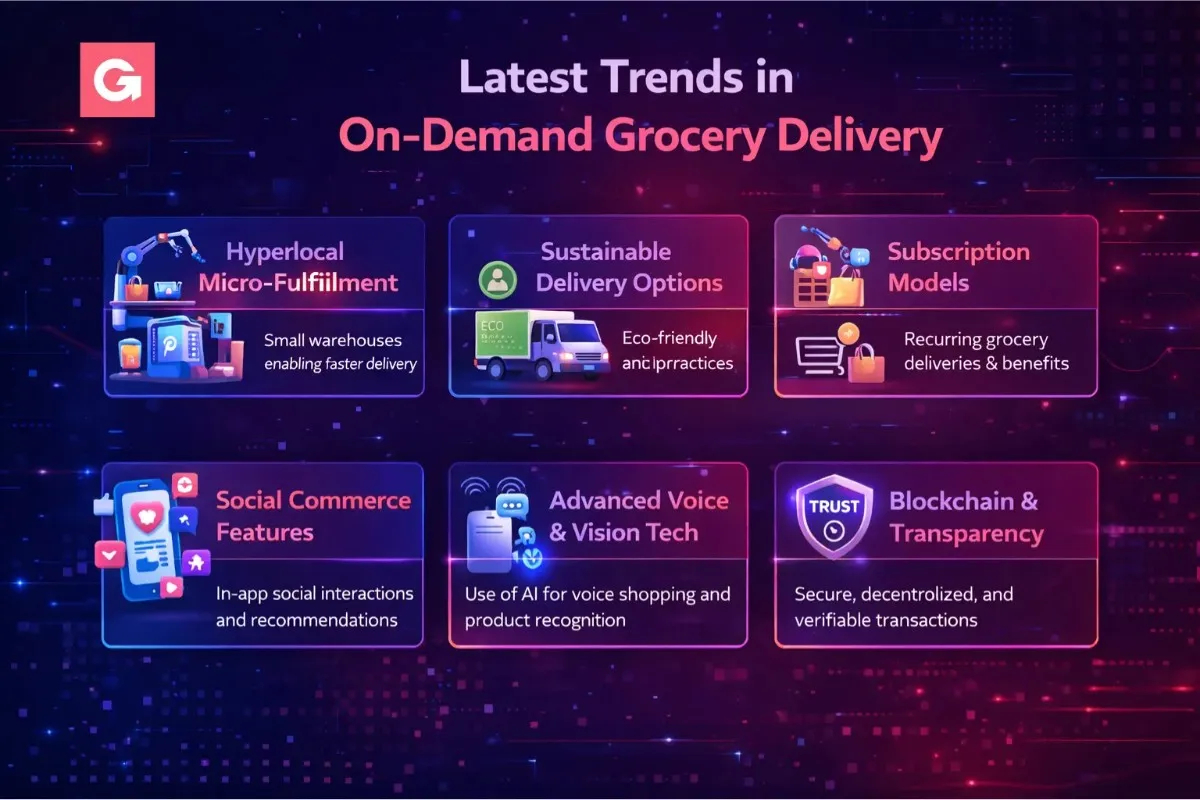
The grocery delivery space is evolving fast. Being aware of the latest trends can help you align your app with what customers will expect next:
- Hyperlocal Micro-Fulfillment: Retailers are using "dark stores" and tiny warehouses within neighborhoods to enable 10-15 minute deliveries. If your business model allows, partnering with or setting up micro-fulfillment centers can drastically reduce delivery times. AI helps optimize inventory across these hubs.
- Sustainable Delivery Options: There's growing consumer demand for eco-friendly services. This includes electric vehicle or bicycle deliveries, options for no plastic bags, and reusable packaging. Even if you start small, consider adding a "green delivery" choice or highlighting local produce to ride the sustainability wave.
- Subscription Models: Many grocery apps now offer subscription plans (e.g. Amazon Prime, Instacart Express) for unlimited free deliveries or special member discounts. A subscription can improve customer retention. An MVP might not launch with this, but keep it on your radar for Phase 2 once you have a stable user base.
- Social Commerce Features: Shopping for groceries is becoming more social. Features like shared grocery lists for families, the ability to "shop together" in-app, or group buying deals (buy with friends to get a discount) are trending. These features increase engagement and word-of-mouth marketing.
- Advanced Voice & Vision Tech: As mentioned, voice ordering is on the rise thanks to smart speakers and voice assistants. Additionally, AR (Augmented Reality) can let users visualize products (especially useful for fresh foods or checking package details). While these are cutting-edge, they could set your app apart in the future.
- Blockchain & Transparency: Some on-demand grocery services are leveraging blockchain for supply chain transparency – letting customers scan and see exactly where their fish was caught or if the "organic" label is verified. While implementing blockchain is complex, even simply highlighting sourcing info can build trust. Transparency about origin, freshness, and handling of foods is a selling point.
Staying adaptable is key. You don't need all these trends in your MVP, but being aware of them will help you plan your roadmap and marketing angles.
Common Mistakes to Avoid in MVP Development
Even with the best intentions, there are pitfalls that can derail a 30-day app project. Steer clear of these common mistakes:
- ❌ Scope Creep: The enemy of speed. Don't keep adding "one more feature" or polishing beyond what's necessary for launch. Stick to your MVP feature set. Remember, Instagram started with just photo sharing and likes – you can add features later once you validate the basics.
- ❌ Ignoring Analytics: You must bake analytics into your MVP. Tools like Google Analytics for Firebase or Mixpanel should be integrated from the start. If you launch without knowing how users are behaving in your app, you're flying blind. Data will guide your improvements.
- ❌ Re-inventing the Wheel (Overbuilding): Use third-party services and libraries where possible, especially for commodity features like payments, chat, maps, etc. Many things have already been built and tested. Overengineering a custom solution for everything will waste precious time.
- ❌ Skipping Security Basics: In the rush to build fast, don't overlook security. Use HTTPS, secure user data (encrypt passwords, use OAuth flows), and follow payment compliance rules. A breach or data leak can kill user trust early on. Even in an MVP, protect user information seriously.
- ❌ Neglecting the Driver Experience: For delivery apps, your drivers or riders are critical users too. If the delivery partner app is buggy or frustrating, drivers will drop off – leaving your customers hanging. Ensure the driver app is as tested as the customer app, and gather feedback from your couriers to improve it.
- ❌ Underestimating Operations: Technology is only part of the equation. Once you launch, you'll deal with real groceries, inventory, customer service, and logistics. Don't underestimate the effort needed to coordinate with stores or warehouses, handle item substitutions, and manage drivers. Have a basic plan for operational processes alongside building the app.
Post-Launch: From MVP to Full Product
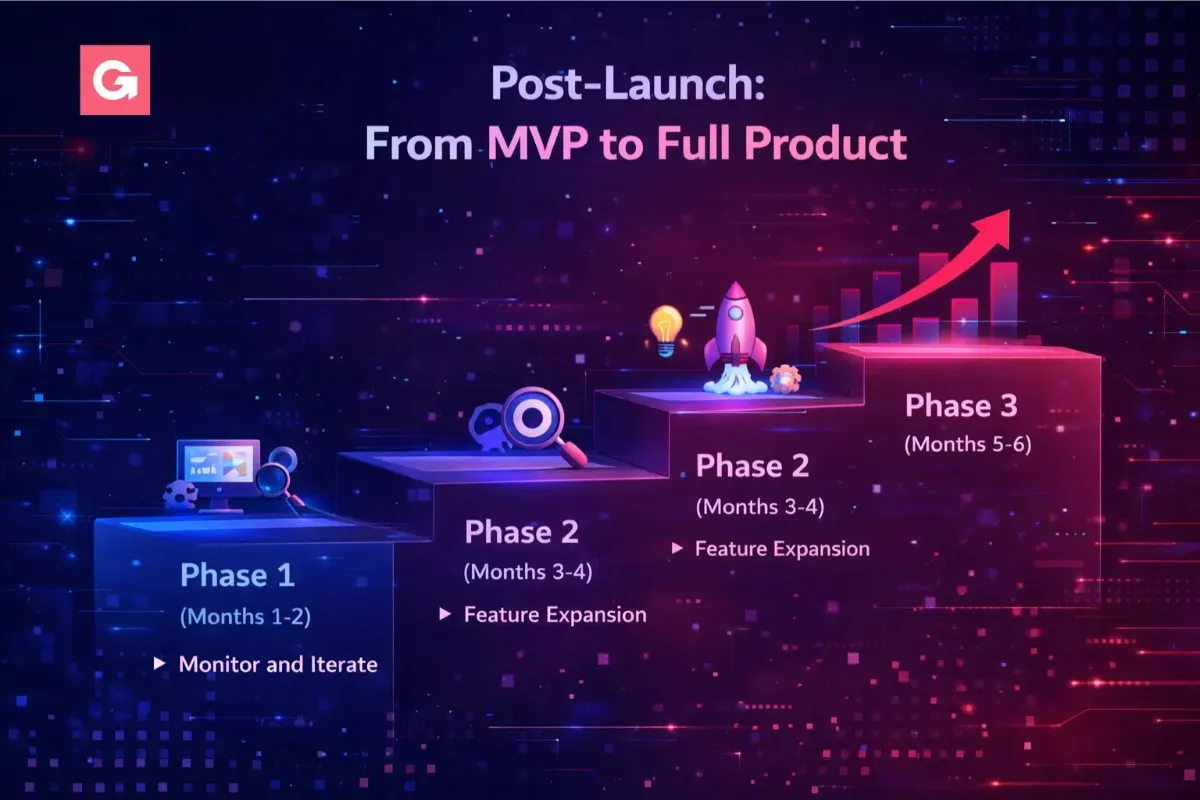
Congrats on launching your MVP! 🎉 But the journey has just begun. Here's how to navigate the post-launch phase to evolve from MVP to a full-fledged product:
Phase 1 (Months 1-2): Monitor and Iterate
After launch, closely monitor your app's performance. Track key KPIs like daily active users, order conversion rate, average order value, and app store ratings. Pay attention to user feedback (app reviews, support tickets, feedback emails). Fix any critical bugs immediately – a quick update in the first week or two can resolve issues that early users point out. Also, use the fresh data to adjust your AI features: for example, refine the recommendation algorithm based on what people actually buy. The goal in this phase is to smooth out rough edges and show users you are responsive.
Phase 2 (Months 3-4): Feature Expansion
Once the MVP is stable, start adding the next set of high-value features. Revisit the backlog of "nice-to-haves" you postponed. Maybe users are clamoring for a coupon system or more payment options or a scheduling feature to order ahead. Roll out one major feature at a time and observe its impact. This is also a good time to enhance AI capabilities since you'll have more user data – for instance, improve your personalization, or introduce that fancy visual search. Keep an eye on app performance as you add features, to ensure you maintain speed and usability.
Phase 3 (Months 5-6): Scaling Up
With a solid product and growing user base, focus on scaling operations and reach. This could mean expanding to new delivery areas or cities, onboarding more grocery partners or stores into your app, and hiring more drivers. Technically, ensure your servers and architecture can handle 10x the traffic (cloud infrastructure makes this easier – scale up instances, optimize databases). You might integrate with more third-party services or add APIs for large partners. Also, step up your marketing during this phase – consider referral programs, partnerships, and increased ad spend now that you have a proven concept.
By the end of 6 months post-launch, you should either be well on your way to a full-scale grocery app or ready to seek serious investment using the traction you've achieved. Many successful apps used this MVP-to-scale playbook to conquer their niche.
ROI: When Will Your Grocery App Break Even?
As a business owner, you're likely wondering about the return on investment. How long until the app turns profitable? While it varies, here's a rough idea of the economics and timeline:
- Revenue Streams: Typically, an online grocery delivery app makes money via delivery fees (e.g. $3-$10 per order), markups or commissions on products (15-25% from partner stores), and possibly subscriptions or ads. Let's say your average order value is $50. A 20% commission nets $10, plus maybe a $5 delivery fee – so around $15 revenue per order (before expenses).
- Customer Acquisition vs. Retention: In the beginning, you might spend $10-30 in marketing to acquire a user (CAC – Customer Acquisition Cost). But if that user keeps ordering, their lifetime value (LTV) increases. Aim for features that improve retention (easy re-ordering, loyalty points) to boost LTV. A healthy monthly retention rate (repeat users) of >30% is a good target early on.
- Orders Needed to Break Even: If your operating profit per order is around $5 (after paying drivers, support, etc.), and your fixed costs (tech, salaries, etc.) are say $20,000/month, you need about 4,000 orders/month to break even. That's roughly 133 orders a day. This could be achieved in a single mid-sized city with a few thousand users ordering weekly.
- Timeline: Many grocery delivery startups break even in 12-18 months with steady growth. If you hit 1,000 daily orders, you might break even in under a year. With 2,000+ daily orders, possibly within 6-9 months. The key is that your fixed costs early on are low (thanks to the MVP approach and automation reducing labor), so each new customer moves you closer to profit.
Also, remember that AI automation can reduce operational costs (fewer support agents, efficient delivery routing, less wastage), improving your margins over time. So investing in those features can pay off on the bottom line.
Success Stories: MVPs That Made It Big
Looking at others who started small can be inspiring. Here are a few grocery delivery startups that launched fast and grew rapidly:
Case Study 1: Grofers (India)
Launched their MVP in just about 90 days back in 2013, focusing only on one city (Delhi) to validate demand. They offered quick convenience store deliveries. That MVP proved the concept; today the company (now rebranded as Blinkit) is valued around $700M+ and was acquired by a food-tech unicorn. They expanded step-by-step, but it all began with a scrappy MVP targeting a single city.
Case Study 2: Dunzo (India)
Started as a simple WhatsApp-based service where users could text to get anything delivered. The founders built an MVP app in roughly 6 weeks focusing on their core use-case (multi-purpose delivery including groceries). Dunzo grew city by city, and by focusing on operational efficiency and user experience, they attracted big investors like Google. It now serves multiple cities and has become a verb for quick delivery in its home market.
Case Study 3: Getir (Turkey)
Pioneered the ultrafast "10-minute grocery delivery" model. They launched in Istanbul with a minimal app and a fleet of scooter drivers, proving that the demand for instant delivery exists. After success in one city, they expanded internationally – now operating in ~9 countries. Their MVP's promise of 10-minute delivery was bold, but by nailing it in one location, they were able to scale that reputation globally.
Key takeaway: Each of these started with a focused MVP – a limited launch area, a simplified feature set – and then rapidly iterated. They didn't wait for a perfect product to start learning from real customers. You shouldn't either!
Choosing the Right Grocery App Development Services
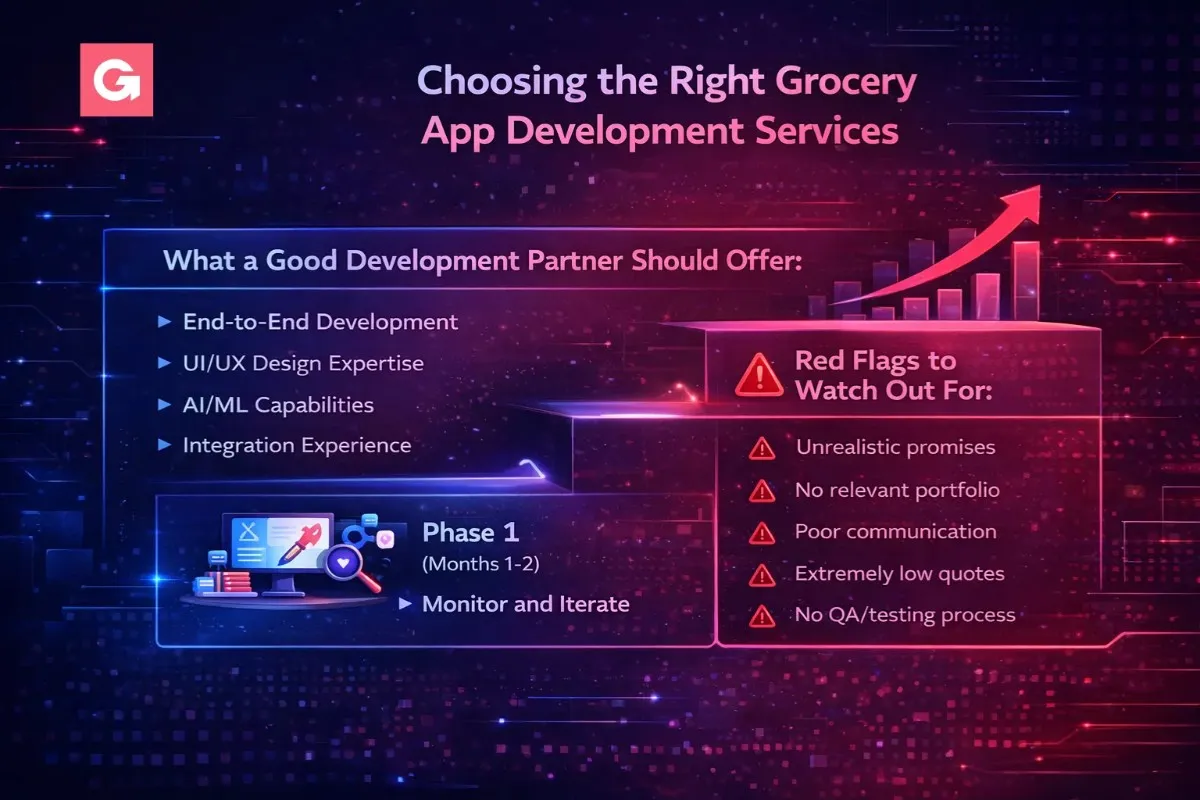
If you decide to hire professionals for development, choosing the right partner is crucial. Not all grocery app development services are equal. Here's what to look for:
What a Good Development Partner Should Offer:
- End-to-End Development: They can handle mobile app development (iOS and Android) as well as the backend/cloud setup. This ensures accountability for the whole system.
- UI/UX Design Expertise: A team that includes skilled designers will make sure your app is not only functional but also user-friendly and attractive. Ask if they do user research and iterative design – it's a good sign.
- AI/ML Capabilities: Since AI is a big part of modern grocery apps, the company should have experience integrating AI APIs or building machine learning features (like recommendations or chatbots). Check if they mention data science or AI case studies in their portfolio.
- Integration Experience: Grocery apps often need to integrate with third-party systems – maps, payment gateways, POS systems of stores, etc. Your development partner should be comfortable with API integrations and possibly building admin panels or web portals in addition to the app.
- Agile Development & Fast Turnaround: For a 30-day MVP, the team must use an agile approach (weekly sprints, frequent builds). They should be able to show progress within days of starting. Past clients' feedback about them meeting deadlines is a big plus.
Red Flags to Watch Out For:
- Unrealistic promises (e.g., saying "we can do any complex feature in two weeks" without a plan). If it sounds too good to be true, it probably is.
- No relevant portfolio. If they haven't built something similar (like delivery or e-commerce apps), they might struggle with domain-specific challenges.
- Poor communication. If they are slow to respond or unclear in proposals, that could spell trouble during development crunch time.
- Extremely low quotes. While everyone loves a good deal, an unreasonably low budget might mean cutting corners or hidden costs later. Quality work has a price – be wary of the cheapest bid.
- No QA/testing process. You need an assurance that the company has dedicated testers or a testing methodology. An MVP built fast can still be high quality if proper QA is done.
Choosing the right grocery delivery app development company will make your 30-day journey much smoother. Don't hesitate to ask tough questions before signing – it's better to take a bit more time in partner selection than to redo work later.
Why Choose Gaincafe Technologies for MVP Grocery App Development
Building a grocery delivery MVP in 30 days is less about writing code fast and more about knowing which decisions to skip. Which features to cut, which AI services to plug in instead of building, and where a shortcut will cost you later. That judgment comes from having shipped this type of app before, not from a longer sprint.
Here is what working with us looks like on a grocery delivery build:
- One team across all four weeks. Design, frontend, backend, AI integration and QA sit under the same roof, so nothing stalls while you wait for a handover between separate contractors.
- AI built in from Week 1, not bolted on. Recommendation engines, route optimisation and support chatbots are planned into the architecture on day one, which is the only way they fit inside a 30-day window.
- Grocery and delivery domain experience. Inventory sync, driver assignment logic, live order tracking and substitution flows have known edge cases. We have already hit them, so you do not pay for that learning curve.
- Costs agreed upfront. You get a written scope and a fixed price before development starts, with no mid-sprint surprises.
- Support after launch. The first two weeks post-launch are when real bugs surface. We stay on to fix them rather than closing the project at handover.
- Analytics from day one. Every build ships with tracking in place, so you can see drop-off points and order conversion from your first real users instead of guessing.
If you are still scoping your idea and want to understand what fits inside a 30-day build and what should wait for version two, our MVP development services page walks through how we structure and price this kind of project.
Talk to our team about your grocery delivery app and we will map your feature list against a realistic 30-day timeline before you commit to anything.
Conclusion: Your 30-Day Journey Starts Now 🚀
Launching an MVP grocery delivery app in 30 days is no longer a pipe dream – it's a proven strategy in today's startup world. By focusing on a lean feature set, leveraging AI automation, and following a disciplined plan, you can bring your vision to life faster and cheaper than traditional development ever allowed.
The grocery delivery market waits for no one. Every week counts as big players and new startups alike race to capture customers. By starting your project now, you're seizing an opportunity to be first to market or to carve out a niche that others have overlooked.
Your action plan from here:
- Validate Your Idea: Talk to 20-30 potential users this week. Confirm that your app is solving a real problem for them and refine your concept with their input.
- Scope Your MVP: Write down your 8-10 core features. Be specific about what each feature will do (and what it won't do). This will be your north star during development.
- Line Up Resources: Whether it's an in-house team or a grocery app development company, get your development resources lined up. Check references and get quotes if hiring out. Secure your budget (for an MVP, think in the $20k-$40k range for a quality build).
- Set a Timeline: Mark a target launch date 30-45 days from now. Work backward to create a mini-project plan using the timeline above as a template. Share this with your team or developers so everyone is on the same page.
- Leverage AI & Tools: Identify which AI features or tools could save you the most time – e.g., use a UI template to speed up design, use a pre-built e-commerce backend, etc. Preparation here will accelerate execution.
- Go for It: Once everything is in place – execute! Maintain a rapid development pace, daily check-ins, and don't lose momentum. It will be an intense month, but keep the end goal in sight.
Remember, the future of grocery shopping is mobile, on-demand, and AI-powered. There's immense opportunity for innovative apps that delight customers with convenience and intelligence. Your customers are ready for it. The technology is ready. The only question is: Are you ready to launch?
If yes – start that 30-day countdown and make it happen. Good luck, and happy building! 🚀💻
Affordable App Development. Zero Compromises.
Quality grocery delivery apps without breaking the bank. Transparent pricing. Proven results.