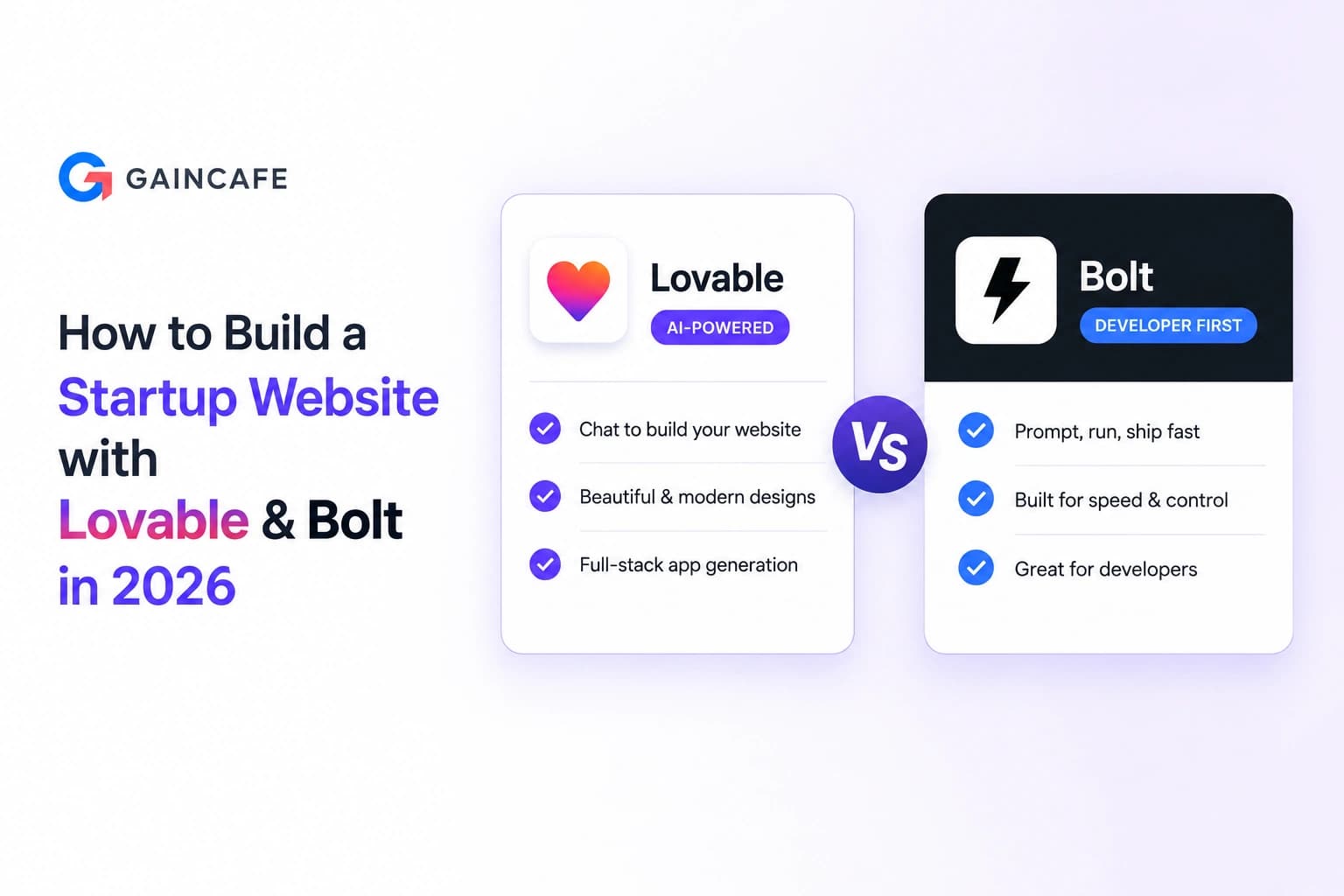
Founders who build startup websites with Lovable or Bolt in 2026 are shipping in days what used to take months and $10,000 with a traditional agency. The economics shifted permanently, and the workflow is now accessible to anyone who can write a clear prompt.
Lovable hit a $6.6 billion valuation by early 2026 with 8 million users, reaching $20 million in ARR within two months of launch. Bolt.new crossed $40 million ARR in just six months, powered by its browser-based WebContainers technology. Together these two tools dominate the AI website building category for startups in 2026, and a serious founder needs to understand exactly how to use both.
This guide walks through the entire workflow: choosing between Lovable and Bolt for your specific use case, preparing your build before you write a single prompt, the step-by-step process inside each tool, real cost breakdowns, conversion optimization fundamentals, the production readiness checklist, and the five mistakes that turn a $25 monthly subscription into a $50,000 problem.
Why Lovable and Bolt Became the Default Stack for Startup Websites in 2026
Lovable and Bolt became the default startup website stack in 2026 because they collapsed the build timeline from 8 to 12 weeks down to 2 to 5 days, dropped initial cost from $2,000 to $10,000 down to $25 per month, and let non-technical founders ship production-grade React applications with backend functionality, authentication, and one-click deployment.
The numbers tell the story. GitHub reports 46% of all new code shipped in 2026 is AI-generated. Y Combinator's Winter 2025 cohort had 25% of startups running on 95% AI-generated codebases. Lovable alone reports 100,000 new projects created on its platform every day.
The traditional agency model still has its place, but it cannot compete on speed or cost for early-stage startup websites. A founder validating an idea in 2026 cannot wait three months and spend $8,000 for a brochure site. They open Lovable, prompt for what they need, iterate for two days, and ship.
📊 Stat Callout: By May 2026, Lovable shipped Lovable 2.0 with Lovable Cloud (production-ready Supabase backend that auto-provisions with every workspace) and migrated new applications to TanStack Start with server-side rendering, designed specifically for SEO and AI search visibility without external prerendering tools. Bolt Cloud, launched August 2025, added built-in databases, authentication, storage, and hosting directly into the WebContainers browser environment. Both platforms became full production stacks in 2026, not just prototyping toys.
Lovable vs Bolt for Startup Websites: Which One Should You Choose?
The first decision is not which prompt to write. It is which platform to use.
Lovable: For Non-Technical Founders Who Want to Ship Polished Apps
Lovable rebranded from GPT-Engineer in late 2024 and immediately broke records. $20 million ARR in two months, $6.6 billion valuation by early 2026. The platform is built around a conversational workflow. You describe your startup, the platform generates a full React frontend with Tailwind styling, connects to a Supabase backend via Lovable Cloud, and deploys to a lovable.app subdomain in one click.
The strength is polish. Lovable's Select & Edit feature lets you click any element on your generated page and describe what should change in plain language. The platform follows modern UI/UX best practices by default. Output is genuinely professional from the first generation.
Bolt: For Developers Who Want Speed and Browser-Based Control
Bolt.new is built on StackBlitz's WebContainers, compiling Node.js to WebAssembly so everything runs in your browser tab. Zero local setup, zero Docker, instant startup. You describe what you want, the AI generates full-stack code, and a working preview appears in the same window.
The strength is speed and flexibility. Bolt lets developers edit code directly during the build process. The Bolt Cloud expansion in August 2025 closed the backend gap with built-in databases and auth.
Side-by-Side Comparison
| Dimension | Lovable | Bolt |
|---|---|---|
| Best for | Non-technical founders, polished UI focus | Developers, rapid prototyping |
| Pricing (Pro) | $25/month, 100 credits + 5 daily | $25/month, 10M tokens |
| Free tier | 5 daily credits, 30/month | 1M tokens/month, 300K daily |
| Team pricing | $50/month shared (unlimited team) | $30/user/month |
| Backend | Lovable Cloud (Supabase native) | Bolt Cloud (built-in DB, auth, storage) |
| Code ownership | Full, GitHub export available | Full, exportable |
| Tech stack | React + Tailwind + TanStack Start (SSR) | React/Vue/Svelte, multiple options |
| Deployment | One-click to lovable.app + custom domain | Integrated hosting + custom domain |
| Learning curve | Lowest in the category | Slightly steeper, IDE-style |
| Code editing | Conversational + Visual Edit | Direct code access in browser |
For a deeper feature breakdown including production readiness and code quality, the Lovable vs Emergent vs Replit comparison covers what each tool actually delivers under load.
Need help choosing the right AI website stack?
We help founders pick, build, and productionise startup websites using Lovable, Bolt, Cursor, and modern AI tooling.
Talk to AI Web ExpertsBefore You Start: 7 Things Every Founder Should Decide First
The biggest mistake founders make is opening Lovable or Bolt and starting to prompt immediately. The platforms reward preparation. Five minutes of planning saves five hours of rework.
Decide these seven things before your first prompt:
- Business model: Brochure site, SaaS landing page, ecommerce store, marketplace, or full web app
- Primary conversion goal: Email signup, demo request, paid signup, purchase, or content engagement
- Target audience: Specific persona, age range, technical sophistication, and the device they primarily use
- Brand voice and design direction: Modern minimalist, bold and colourful, professional and corporate, or something else specific
- Content readiness: Headline, value proposition, three to five benefit statements, social proof, and CTAs written before you start
- Backend requirements: Just frontend, or do you need user auth, database, payments, or third-party API integrations
- Compliance and data requirements: GDPR, HIPAA, payment data, or other regulated requirements that change architecture
If you cannot answer these in 10 minutes, do not start the build. Define the answers first. The AI generates whatever you describe. Vague descriptions produce mediocre output that needs heavy iteration to fix.
How to Build a Startup Website with Lovable: Step-by-Step
The Lovable workflow has six clear phases.
Step 1: Sign Up and Choose Your Plan
Lovable offers a free tier with 5 daily credits (30 monthly), enough to test the platform and build a simple project. For serious startup websites, Pro at $25 per month gives you 100 credits plus 5 daily bonus credits, which covers approximately 2 to 3 medium-complexity apps per month.
Skip Business ($50 per month) unless you need SSO or team workspace features.
Step 2: Write a Strong Initial Prompt
This single step determines 70% of your output quality. A vague prompt produces a generic site. A specific prompt produces a startup-ready one.
Bad prompt: "Build me a landing page for my startup."
Strong prompt: "Build a landing page for an AI-powered fitness coaching app called Super Coach Pro. Target audience is busy professionals aged 28 to 45 who want personalised workout plans. Main goal is to capture email signups for a free 7-day trial. The page should include a hero section with the headline 'Your AI Personal Trainer in Your Pocket,' three benefit cards explaining personalisation, progress tracking, and 24/7 availability, a section showing three customer testimonials, an email capture form, and a footer with privacy policy and contact links. Use a modern design with a dark navy and electric blue colour scheme."
The second prompt produces a usable first version. The first prompt produces something you will rebuild four times.
Step 3: Iterate With Select & Edit
Once Lovable generates your first version, use the Select & Edit feature for precision changes. Click any element, describe what should change in plain language. "Make this button orange and larger" or "Replace this testimonial with a real one from John Smith at Acme Corp" works exactly as written.
Branch your project before major changes. If an iteration breaks something, roll back to a known good version without losing work.
Step 4: Connect Lovable Cloud for Backend Functionality
If your startup site needs user authentication, a database, or persistent data, enable Lovable Cloud. The platform auto-provisions a Supabase backend tied to your workspace. You get tables, row-level security, auth flows, and storage without leaving the Lovable interface.
For complex backend logic, you can also connect your own Supabase instance directly.
Step 5: Add Authentication, Forms, and Integrations
Lovable handles standard integrations through prompts. "Add email and password authentication using Supabase" generates the full auth flow. "Connect Stripe for monthly subscriptions" wires up payment processing. "Use Resend for the contact form submissions" routes form data through email automation.
This is where Lovable distinguishes itself from earlier no-code platforms. The integrations are real, not simulated.
Step 6: Deploy and Connect Custom Domain
Lovable deploys to a lovable.app subdomain by default. For production, connect your custom domain in the project settings. New apps created from May 13, 2026 use TanStack Start with server-side rendering, which means search engines and AI crawlers see fully rendered content without separate prerendering tools.
Older apps using React + Vite continue to work and use prerendering on deployed URLs for SEO and AI search visibility.
Want a Lovable-built startup website hardened for production?
We turn AI-generated prototypes into secure, scalable, SEO-ready startup platforms.
Book a Production AuditHow to Build a Startup Website with Bolt: Step-by-Step
The Bolt workflow has its own rhythm.
Step 1: Open bolt.new and Describe Your Project
Bolt requires no signup to start. Open bolt.new, describe your project in the chat interface, and the platform begins generating immediately. Sign up to save your work, switch to paid tiers, or use Bolt Cloud features.
Step 2: Watch the Build Happen in Real Time
This is Bolt's most distinctive feature. The WebContainers environment shows the file tree, the code being written, and a live preview simultaneously. Within 60 to 90 seconds for a typical landing page, you have a working preview in the same browser tab.
Step 3: Iterate Through Chat or Direct Code Editing
Bolt gives you two ways to iterate. Continue prompting in chat for high-level changes. Or click into the code itself and edit directly when you need precision. Both options sync immediately to the live preview.
This dual-mode is why developers prefer Bolt. You get AI speed for the heavy lifting and IDE-level control for the details.
Step 4: Add Bolt Cloud Backend if Needed
Bolt Cloud, launched August 2025, lets you add a database, authentication, file storage, and persistent state with a prompt. "Add a contact form that saves submissions to a database and emails me when someone submits" generates the full pipeline.
For more complex backends, connect Supabase, Firebase, or a custom API.
Step 5: Connect Custom Domain and Deploy
Bolt's integrated hosting publishes your site to a bolt subdomain automatically. Custom domain connection requires the Pro tier ($25 per month). The free tier includes Bolt branding that must remain visible.
Step 6: Manage Token Consumption Carefully
This is where founders get surprised. Bolt charges by token, and larger projects burn tokens faster because the AI syncs your entire codebase with each interaction. A 50-component startup site at 4 weeks of iteration can exhaust 10 million tokens. Heavy users routinely upgrade tiers or wait for monthly resets.
For deeper cost analysis across all major vibe coding tools, our Cost of Vibe Coding 2026 breakdown covers the full subscription math.
The Hybrid Approach: When to Use Both Together
The strongest 2026 workflow combines both tools.
Use Lovable first. The interface is friendlier, the initial output is more polished, and the Supabase integration is mature. Get to a working first version in a single session.
Export to GitHub. Lovable's bi-directional GitHub sync is one of the platform's best features. Your code is real, owned, and portable.
Refine in Bolt or Cursor. Once you need precision changes, custom integrations, or component-level optimisation, move into a more developer-focused environment. Bolt's WebContainers and Cursor's VS Code base both work well at this stage.
Ship with hardening. This is the non-negotiable step. AI-generated code needs security review, performance optimisation, and observability before real users arrive. Our Scale Vibe Coded App playbook covers what production readiness actually requires.
This sequence delivers the speed advantage of AI tools and the reliability advantage of senior engineering oversight.
Need help scaling beyond the MVP stage?
We specialise in hardening Lovable and Bolt-generated applications for real production traffic.
Hire AI App EngineersReal Cost Breakdown: What Building with Lovable or Bolt Actually Costs
Honest 2026 numbers for a typical startup website build.
Solo Founder Landing Page (1-2 days)
| Cost Item | Lovable Path | Bolt Path |
|---|---|---|
| Tool subscription (1 month) | $25 (Pro) | $25 (Pro) |
| Custom domain | $12-15 annually | $12-15 annually |
| Stock photos or AI images | $0-$50 | $0-$50 |
| Email integration (Resend free tier) | $0 | $0 |
| Analytics (Google Analytics free) | $0 | $0 |
| Total Month 1 | $25-$90 | $25-$90 |
Full SaaS MVP Site (2-4 weeks)
| Cost Item | Lovable Path | Bolt Path |
|---|---|---|
| Tool subscription (Pro, full month) | $25 | $25 |
| Supabase Pro (for production) | $25 | $25 |
| Stripe (transaction-based) | Pay-as-you-go | Pay-as-you-go |
| Custom domain + DNS | $15 | $15 |
| Email service (Resend Pro) | $20 | $20 |
| Sentry (error tracking, free tier) | $0 | $0 |
| Total Month 1 | $85 | $85 |
| Heavy iteration overage | +$0-$30 | +$50-$200 (tokens) |
What This Replaces
A traditional web design agency in 2026 still quotes $2,000 to $10,000+ for a comparable startup website build, plus 6 to 12 weeks of timeline. An in-house junior developer hire costs $40,000 to $80,000 annually before benefits.
The economics make Lovable and Bolt mandatory for early-stage validation. The honest follow-up: production hardening typically adds $5,000 to $15,000 if you have real users and real revenue at risk. That cost detail lives in our MVP Development Cost 2026 guide.
💡 Expert Insight (Senior Architect, Gaincafe) "We have shipped startup websites in 2026 that took less than 72 hours from blank canvas to deployed product. The Lovable plus Cursor combination is genuinely transformative for the first version. The trap founders fall into is treating the 72-hour deployment as the finish line. It is the starting line. The next 72 hours of senior engineering review is what separates a startup website from a startup liability."
Conversion Optimisation: What to Build Into Your Startup Website from Day 1
A fast-built site that does not convert is just expensive HTML. Lovable and Bolt give you the build advantage. Conversion is on you.
Page Speed: The 0.1 Second Rule
Page speed improvements of 0.1 seconds increase conversions by 8 to 10% in 2026 industry data. 53% of mobile users abandon sites that take longer than 3 seconds to load.
Compress images using TinyPNG (typically 20 to 40% load time reduction). Use Cloudflare's free CDN tier (30 to 50% improvement for global visitors). Enable browser caching (30 to 50% improvement for returning visitors). These three fixes require no engineering and deliver substantial gains.
Mobile-First Is Not Optional in 2026
83% of website traffic now comes from mobile, but mobile converts significantly worse than desktop. Desktop conversion rates average 4.8 to 5.06%. Mobile lags at 2.49 to 2.9%, a 40 to 51% gap that represents direct revenue loss.
Google's official guidance specifies buttons and form fields should be at least 48x48 density-independent pixels with adequate spacing. Lovable's generated layouts meet this by default. Bolt's defaults are looser and need explicit prompting.
Conversion Fundamentals to Prompt In
Build these elements into your initial Lovable or Bolt prompts:
- Headline written for an 8th-grade reading level (max 15 to 20 words)
- Hero CTA above the fold, contrasting colour, action verb
- Three to five benefit cards using outcome language, not feature language
- Social proof element (testimonials, logos, user count) within first 800 pixels
- One primary form, fewer than five fields
- Trust signals (privacy policy link, security badges, money-back guarantee if applicable)
Conversion is not magic. It is friction reduction at every step.
5 Critical Mistakes Founders Make When Building Startup Websites with AI Tools
After auditing dozens of Lovable and Bolt-built sites at Gaincafe in 2026, the same five mistakes show up repeatedly.
1. Skipping production hardening before launch. Veracode's 2026 data shows 45 to 48% of AI-generated code contains OWASP Top 10 vulnerabilities. Shipping without review is not bold. It is uninsured.
2. Hardcoded API keys exposed in source code. The Moltbook incident in February 2026 exposed 1.5 million authentication tokens because keys were embedded in generated code and pushed to a public repository. Every Lovable and Bolt project needs environment variables and a Git history audit before launch.
3. Row-Level Security disabled or set to permissive defaults. Bolt ships with RLS off by default. Lovable Cloud configures it, but founders frequently override the defaults during debugging. Any user-data table without strict RLS is a breach waiting to happen.
4. Ignoring mobile UX during the build. Lovable defaults are mobile-aware. Bolt defaults are not. Founders preview on desktop, ship, and discover at user 200 that nothing works on iPhone. Test on real devices, not just browser dev tools.
5. No analytics from day one. A startup website without Google Analytics, Plausible, or PostHog is flying blind. You cannot improve what you do not measure. Wire analytics into the initial build, not as a post-launch afterthought.
Launching soon? Run a production readiness audit first.
We review AI-generated startup websites for security, scalability, performance, and compliance before launch.
Run the 10-Point AuditThe Production Readiness Checklist Before You Launch
Before you point real traffic at your Lovable or Bolt-built site, verify these 10 items:
- All API keys in environment variables, none in source code
- Row-Level Security enabled on every user-data table
- Server-side input validation on all forms
- HTTPS enforced site-wide
- Custom domain connected with valid SSL certificate
- Error tracking (Sentry, Bugsnag, or similar) live
- Google Analytics or equivalent tracking active
- Mobile testing completed on iOS and Android real devices
- Page speed under 3 seconds on 4G connection
- Backup of full project exported to GitHub
If three or more are unchecked, you are not ready to launch. Spend the day fixing them. Our Scale Vibe Coded App guide covers the full hardening playbook for products with real users.
When You Should Hire Senior Engineers Instead of DIY
Three triggers indicate the DIY approach has reached its limit.
Compliance triggers. If you handle health data (HIPAA), payment data (PCI-DSS), EU user data (GDPR), or Indian user data (DPDP Act), the compliance work is technical, not optional. AI-generated code rarely meets these standards by default.
Scale triggers. Once you cross approximately 1,000 active users, the architectural shortcuts that worked for the demo start breaking. Database queries slow down. Authentication boundaries leak. Founder debugging time exceeds founder selling time.
Sensitive data triggers. If your startup handles user-uploaded content, financial information, or anything that would be embarrassing in a breach disclosure, the senior engineering review is the only responsible path.
For founders at any of these triggers, our Hire Lovable Experts team specifically bridges the gap between AI-generated speed and production-grade reliability.
How Gaincafe Builds Production-Grade Startup Websites with AI Tools
Gaincafe Technologies built its model around the exact intersection this article describes.
We use Lovable, Bolt, Cursor, Claude Code, and Replit aggressively for speed. We never ship AI-generated code to production without senior engineering review. That combination is the differentiator between a 6-week prototype and a 6-week production-ready website.
For founders who want the AI speed advantage without the AI risk profile, our MVP Development Services deliver Lovable or Bolt-accelerated builds with the security review, performance optimisation, and architecture work that pure DIY skips.
500+ projects delivered. 12 years of senior engineering experience. 5.0 Upwork rating. Teams across India, the UAE, Australia, the USA, and the UK trust us to take their AI-generated foundation and turn it into a system that survives real users.
💡 Pro Tip (Engineering Lead, Gaincafe) "The smartest founders we work with in 2026 use Lovable or Bolt as their fastest path to a working prototype, then bring us in for the hardening sprint before the first paid customer arrives. The cost of doing it in this order is $5,000 to $15,000. The cost of doing it after a breach is 10 to 100 times that. The math is settled."
Conclusion: The Tools Are Ready. Your Discipline Is the Variable
Lovable and Bolt in 2026 are genuinely transformative. A founder with no engineering background can ship a polished, functional startup website in days for the cost of a dinner. The economics of validation have permanently changed.
The trap is treating the build as the finish line. The build is the starting line. The startup website that wins in 2026 is the one that combines AI tools for speed, deliberate preparation for prompt quality, conversion fundamentals for actual revenue, and senior engineering oversight before real traffic arrives.
If you are ready to build a startup website with Lovable or Bolt and you want the production reliability that DIY rarely delivers, the audit is the next step. Talk to the Gaincafe team about pairing AI speed with engineering rigour and ship something that works for the first 100 users and the next 100,000.